Get certified for free when you join Fabric Data Days 2026 and dive into Fabric, Power BI, SQL, AI, and other essential data skills.
Join nowJuly 28 - August 9 | Final Round of the Power BI Dataviz World Championships. This is your chance. Learn more
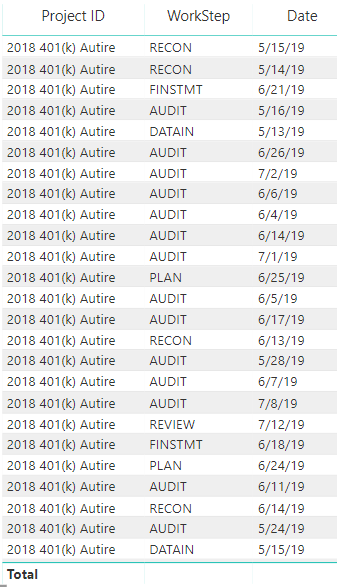
I am working with Power Bi and have a list of Project IDs...is there a way to get a count to show in the total line for this column of text? For instance...how would I get a count of the project IDs to show in the total line at the bottom...same for workstep? is this possible?
Solved! Go to Solution.
I don't think this can be done without adding in another column or using a card visual.
How would the rank option work?
Actually now that I test it out, the ranking option wouldn't make a difference. It'd be the same as a doing a count on your description.
So I created this Column index list for my table. and it numbers it correctly, however when it interacts with another visual, the column index keeps the original number, I made the number absolute values, so whenever the table changes it keeps the original index number and do not keep sequential numbers. ... Is there anyway to do that?
Interesting - What formula did you use to make the columnindex? I think I might have an idea on how to make it static.
I used the client name column because it will be consistent
Join us in Barcelona for FabCon and SQLCon, the Fabric, Power BI, SQL, and AI community event. Save €200 with code FABCMTY200.
If you love stickers, then you will definitely want to check out our community sticker challenge, Barcelona edition!
Check out the July 2026 Power BI update to learn about new features.
| User | Count |
|---|---|
| 30 | |
| 28 | |
| 23 | |
| 21 | |
| 19 |
| User | Count |
|---|---|
| 44 | |
| 31 | |
| 18 | |
| 18 | |
| 16 |