Join us at FabCon Atlanta from March 16 - 20, 2026, for the ultimate Fabric, Power BI, AI and SQL community-led event. Save $200 with code FABCOMM.
Register now!Get Fabric Certified for FREE during Fabric Data Days. Don't miss your chance! Request now
Hi,
I need to calculate ROA for each company and then sum those values ignoring slicer filter for companies. I just need one number that will not change while using filter for companies. I tried ALL, REMOVEFILTERS, ... nothing worked. Can anybody help me?
This is what I got:
ROA =
var income = CALCULATE(SUM(Table[NUM_VALUE]), FILTER(Table, Table[C_EP] = "BCE")
var assets= CALCULATE(SUM(Table[NUM_VALUE]), FILTER(Table, Table[C_EP] = "CE")
return income/assets
TOTAL_ROA =
var p = MAX(Table[PERIOD])
var a = SUMX(
SUMMARIZE(Table,Table[SUBJECT], "ROA",CALCULATE(Table[ROA], Table[PERIOD] = p)),
CALCULATE(Table[ROA], Table[PERIOD] = p))
return aSolved! Go to Solution.
Hi @EricaD
Try this measure
TOTAL_ROA =
var d = MAX(TABLE1[PERIOD])
RETURN
SUMX(
SUMMARIZE(
ALL(Table1[SUBJECT]),
Table1[SUBJECT],
"ReturnOnAssets",
CALCULATE(
[ROA],
Table1[PERIOD] = d
)
),
[ReturnOnAssets]
)
Hi @littlemojopuppy, thanks for your quick response. I can give you .pbix and also .xlsx: Files
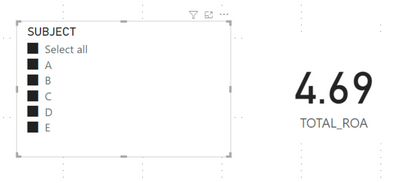
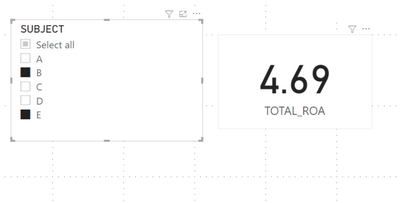
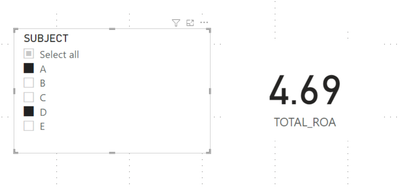
I just want TOTAL_ROA to be 469% no matter what I select in filter for subject.
Hi @EricaD
Try this measure
TOTAL_ROA =
var d = MAX(TABLE1[PERIOD])
RETURN
SUMX(
SUMMARIZE(
ALL(Table1[SUBJECT]),
Table1[SUBJECT],
"ReturnOnAssets",
CALCULATE(
[ROA],
Table1[PERIOD] = d
)
),
[ReturnOnAssets]
)
@littlemojopuppy Thank you soooo much, you literally saved my life! 😄
And I really don't know why I haven't try that one.
Hi @EricaD. Very strange that ALL and REMOVEFILTERS didn't work... Can you provide some sample data to work with?
Check out the November 2025 Power BI update to learn about new features.
Advance your Data & AI career with 50 days of live learning, contests, hands-on challenges, study groups & certifications and more!