Share feedback directly with Fabric product managers, participate in targeted research studies and influence the Fabric roadmap.
Sign up nowVote for your favorite vizzies from the Power BI Dataviz World Championship submissions. Vote now!
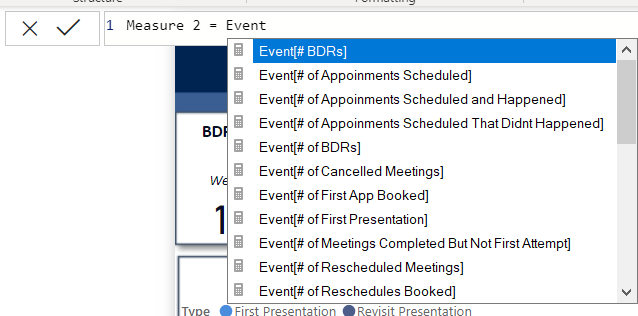
With the new update to Power Bi, when I go to create a measure, the formula is no longer auto referencing tables available to me. See screenshot. I believe there was a setting to turn this on.
Solved! Go to Solution.
Try using a single quote ( ' )
And I don't see that problem. Your issue I believe is that you need to start with an aggregation before referencing a table/column because you are creating a measure.
Try using a single quote ( ' )
And I don't see that problem. Your issue I believe is that you need to start with an aggregation before referencing a table/column because you are creating a measure.
If you love stickers, then you will definitely want to check out our Community Sticker Challenge!
Check out the January 2026 Power BI update to learn about new features.
| User | Count |
|---|---|
| 65 | |
| 65 | |
| 45 | |
| 21 | |
| 18 |
| User | Count |
|---|---|
| 115 | |
| 114 | |
| 38 | |
| 36 | |
| 26 |