Join us at FabCon Atlanta from March 16 - 20, 2026, for the ultimate Fabric, Power BI, AI and SQL community-led event. Save $200 with code FABCOMM.
Register now!The Power BI Data Visualization World Championships is back! It's time to submit your entry. Live now!
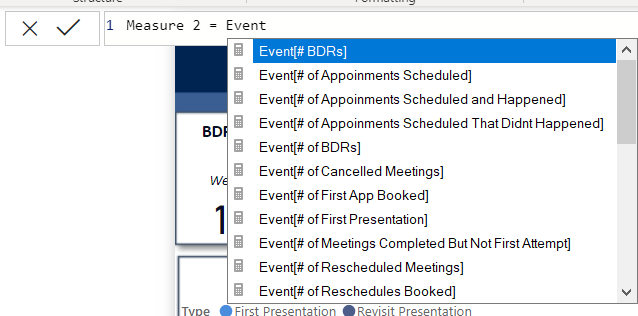
With the new update to Power Bi, when I go to create a measure, the formula is no longer auto referencing tables available to me. See screenshot. I believe there was a setting to turn this on.
Solved! Go to Solution.
Try using a single quote ( ' )
And I don't see that problem. Your issue I believe is that you need to start with an aggregation before referencing a table/column because you are creating a measure.
Try using a single quote ( ' )
And I don't see that problem. Your issue I believe is that you need to start with an aggregation before referencing a table/column because you are creating a measure.
The Power BI Data Visualization World Championships is back! It's time to submit your entry.
| User | Count |
|---|---|
| 52 | |
| 41 | |
| 32 | |
| 26 | |
| 24 |
| User | Count |
|---|---|
| 131 | |
| 118 | |
| 57 | |
| 45 | |
| 43 |