Share feedback directly with Fabric product managers, participate in targeted research studies and influence the Fabric roadmap.
Sign up nowGet Fabric certified for FREE! Don't miss your chance! Learn more
Hi i am getting the below error when i am selecting a gateway with two data source. Please assist?
Solved! Go to Solution.
Hi @PRammai,
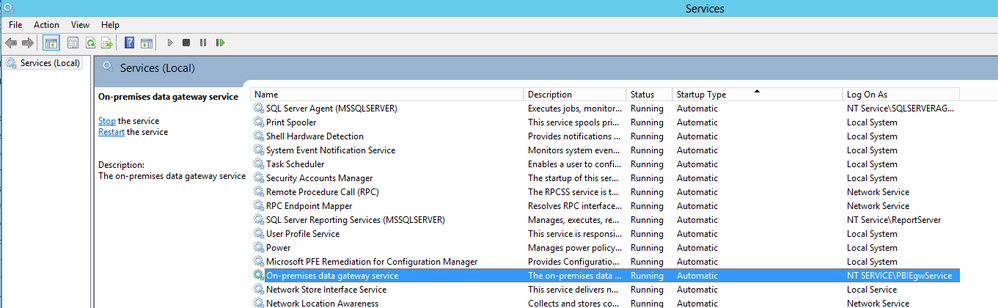
Firstly, please make sure that on-premises gateway service is running properly in Services.
Secondly, when you add the two data sources within registered on-premises gateway, please ensure that you enter the same connection strings of data sources as that you get in Power BI Desktop. You can go to File -> Options and settings ->Data source settings in Power BI Desktop to check all the data sources of the dataset.
Thanks,
Lydia Zhang
Hi @PRammai,
Firstly, please make sure that on-premises gateway service is running properly in Services.
Secondly, when you add the two data sources within registered on-premises gateway, please ensure that you enter the same connection strings of data sources as that you get in Power BI Desktop. You can go to File -> Options and settings ->Data source settings in Power BI Desktop to check all the data sources of the dataset.
Thanks,
Lydia Zhang
If you love stickers, then you will definitely want to check out our Community Sticker Challenge!
Check out the January 2026 Power BI update to learn about new features.
| User | Count |
|---|---|
| 19 | |
| 10 | |
| 8 | |
| 7 | |
| 7 |
| User | Count |
|---|---|
| 51 | |
| 44 | |
| 30 | |
| 27 | |
| 25 |