cancel
Showing results for 
Search instead for 
Did you mean: 

The Power BI Data Visualization World Championships is back! It's time to submit your entry. Live now!

Reply
Anonymous
Not applicable

change Filter Option

Dear Altruists, 


I am very much new in Power BI. 


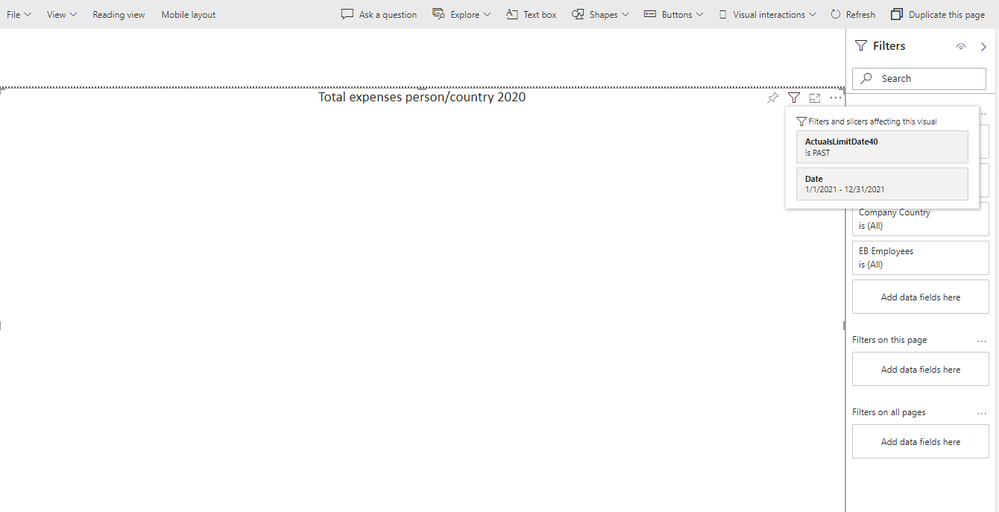
I have a report which date is filter for this current year but the backed database is not refreshed yet with current data. 

So how can i change the date filter in here. 


dateFiler.png

2 ACCEPTED SOLUTIONS
GilbertQ
Super User
Super User

Hi @Anonymous 


On the right hand side in the Filters pane you will be able to change the Date filter. 


Did I answer your question? Mark my post as a solution!

Proud to be a Super User!


Power BI Blog

View solution in original post

GilbertQ
Super User
Super User

Hi @Anonymous 


Thanks for letting us know.


Did I answer your question? Mark my post as a solution!

Proud to be a Super User!


Power BI Blog

View solution in original post

3 REPLIES 3
GilbertQ
Super User
Super User

Hi @Anonymous 


Thanks for letting us know.


Did I answer your question? Mark my post as a solution!

Proud to be a Super User!


Power BI Blog

GilbertQ
Super User
Super User

Hi @Anonymous 


On the right hand side in the Filters pane you will be able to change the Date filter. 


Did I answer your question? Mark my post as a solution!

Proud to be a Super User!


Power BI Blog

Anonymous
Not applicable

 Basically, the filter was hidden who actually build that report. Now I have rebuilt it without year filter and works fine.

Helpful resources

Announcements
Power BI DataViz World Championships

Power BI Dataviz World Championships

The Power BI Data Visualization World Championships is back! It's time to submit your entry.

January Power BI Update Carousel

Power BI Monthly Update - January 2026

Check out the January 2026 Power BI update to learn about new features.

FabCon Atlanta 2026 carousel

FabCon Atlanta 2026

Join us at FabCon Atlanta, March 16-20, for the ultimate Fabric, Power BI, AI and SQL community-led event. Save $200 with code FABCOMM.