Don't miss your chance to take the Fabric Data Engineer (DP-700) exam on us!
Learn moreThe FabCon + SQLCon recap series starts April 14th at 8am Pacific. If you’re tracking where AI is going inside Fabric, this first session is a can't miss. Register now
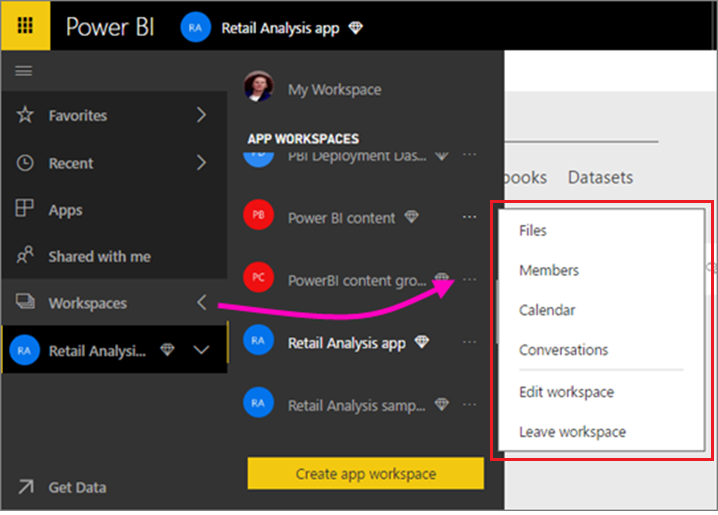
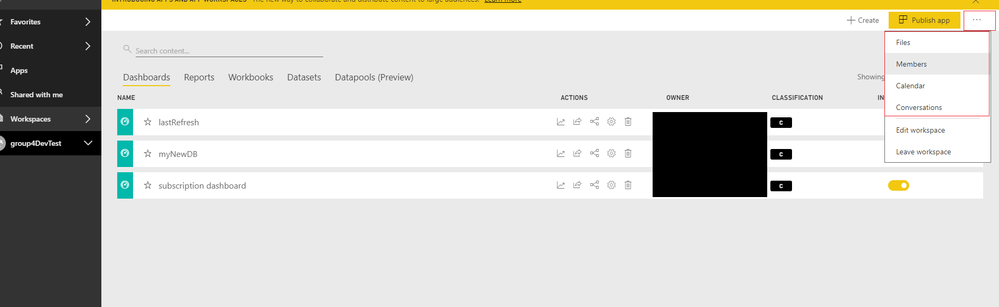
I have a problem to access the options "members" and some others of the workspace of the projects (see images).
Does it have to do with permissions problems?
My Options (Image)
Even iam also facing same problem.
Can you please let me why those options are not coming.
Regards,
Bajee.
When you click "Edit Workspace" do you see the members of the workspace in there? The members option will normally take you out into Outlook and show you the members of the Office 365 group. I'm wondering if you have a workspace that doesn't have an Office 365 group linked to it.
Hi @MiguelSaldana77,
You can also enter to app workspace home page and check its option. If you can't find below menu, it means you not have enough permission.
BTW, if you click on option which you mentioned, it will bring your to office tenant with specific group page.
Regards,
Xiaoxin Sheng
If you have recently started exploring Fabric, we'd love to hear how it's going. Your feedback can help with product improvements.
A new Power BI DataViz World Championship is coming this June! Don't miss out on submitting your entry.
Share feedback directly with Fabric product managers, participate in targeted research studies and influence the Fabric roadmap.