

Join us at FabCon Atlanta from March 16 - 20, 2026, for the ultimate Fabric, Power BI, AI and SQL community-led event. Save $200 with code FABCOMM.
Register now!The Power BI Data Visualization World Championships is back! Get ahead of the game and start preparing now! Learn more
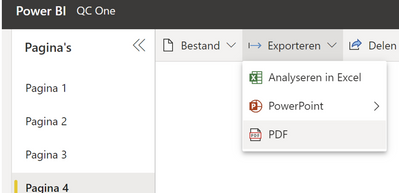
The report I am working on needs to show images, also when exporting to PDF.
I know this is possible via the Table visual, but we are limited on the image height and width there (too small):
There are also other (external) visuals that can be used and show images bigger, for example 'Collage by Cloudscope' but these visuals won't let me export to PDF. this is the message I get then;
--> this means: the visuals don't support exports
Does anyone have a suggestion for me on how to deal with this?
Solved! Go to Solution.
Hi @Arendp,
Width and height are limited by the design. You could regulate the image height by Image height under Grid section of visual Format. But the maximum value is 150. For the improvement of this design, I would suggest you voting for similar ideas in Power BI Ideas. It’s a place where the product group collects suggestions from users to help improve the experience with this product. Here is the link of Power BI Ideas: https://ideas.powerbi.com/ideas/search-ideas/?q=image%20size%20%20%20table%20visual.
Regarding the export to PDF, you can only export the visuals that have been certified. For more details, you could refer to Export reports to PDF - Power BI | Microsoft Docs.
For how to get a visual certified, you may refer to Get your Power BI visuals certified - Power BI | Microsoft Docs.
If there is any post helps, then please consider Accept it as the solution to help the other members find it more quickly. If I misunderstand your needs or you still have problems on it, please feel free to let me know. Thanks a lot!
Best Regards,
Community Support Team _ Caiyun
Thanks for your answer @v-cazheng-msft , that helped a lot! And I voted for the idea.
Hi @Arendp,
Width and height are limited by the design. You could regulate the image height by Image height under Grid section of visual Format. But the maximum value is 150. For the improvement of this design, I would suggest you voting for similar ideas in Power BI Ideas. It’s a place where the product group collects suggestions from users to help improve the experience with this product. Here is the link of Power BI Ideas: https://ideas.powerbi.com/ideas/search-ideas/?q=image%20size%20%20%20table%20visual.
Regarding the export to PDF, you can only export the visuals that have been certified. For more details, you could refer to Export reports to PDF - Power BI | Microsoft Docs.
For how to get a visual certified, you may refer to Get your Power BI visuals certified - Power BI | Microsoft Docs.
If there is any post helps, then please consider Accept it as the solution to help the other members find it more quickly. If I misunderstand your needs or you still have problems on it, please feel free to let me know. Thanks a lot!
Best Regards,
Community Support Team _ Caiyun
Check out the November 2025 Power BI update to learn about new features.
Advance your Data & AI career with 50 days of live learning, contests, hands-on challenges, study groups & certifications and more!