Join us at FabCon Atlanta from March 16 - 20, 2026, for the ultimate Fabric, Power BI, AI and SQL community-led event. Save $200 with code FABCOMM.
Register now!The Power BI Data Visualization World Championships is back! Get ahead of the game and start preparing now! Learn more
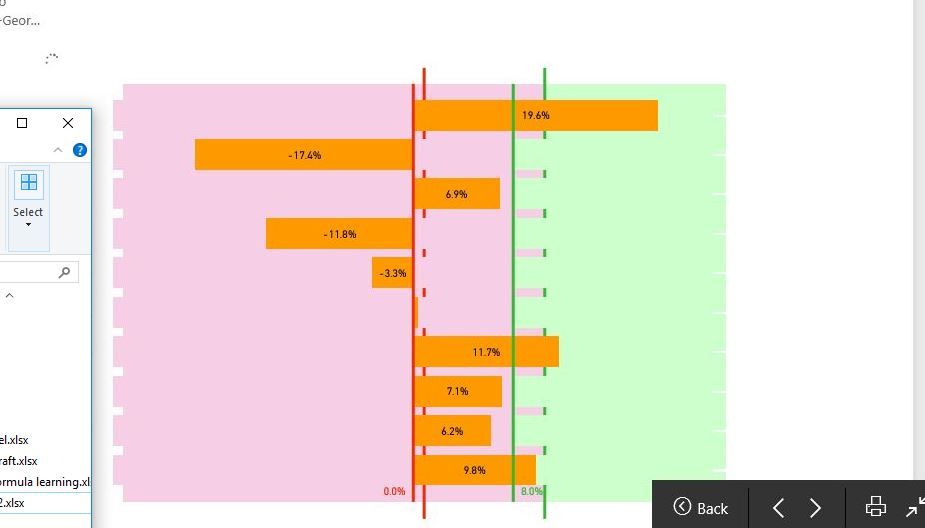
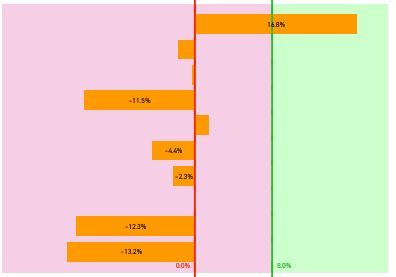
hi there, when I select the slicer, the visuals are not being updated simultaneously. when the visuals being processed, it shows on the screen as the first screenshot above. The second screenshot is the visual after finished processing.
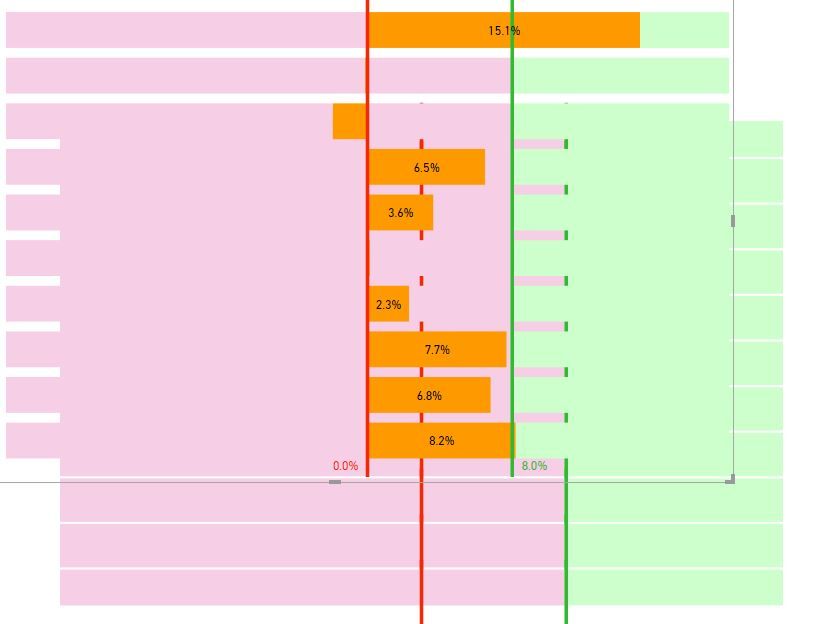
I have also attached the third screenshot showing the combination of visuals. Basically, duplicate another visual to fill the gap of the bars of "stacked bar chart". So when the slicer is selected, the front and bottom visual update simultaneously. I do not want to show on screen when bi processing as the first screenshot looks strange, just want to see the final result, how to do that? thanks
Hi @erihsehc,
Actually, I am really confused about your operation and requirements. What's the meaning of "the visuals are not being updated simultaneously. when the visuals being processed"? I can't imagine your scenario. You'd better post your .pbix file and more details for further analysis?
Best Regards,
Angelia
The Power BI Data Visualization World Championships is back! Get ahead of the game and start preparing now!
| User | Count |
|---|---|
| 58 | |
| 56 | |
| 36 | |
| 18 | |
| 14 |