Join us at FabCon Atlanta from March 16 - 20, 2026, for the ultimate Fabric, Power BI, AI and SQL community-led event. Save $200 with code FABCOMM.
Register now!The Power BI Data Visualization World Championships is back! Get ahead of the game and start preparing now! Learn more
I have created a bar graph that uses two columns of data, stacked, and one of the columns is a calculated column. It shows up in the online app as a gray box with an X. I can usually refresh it to get rid of these types of errors, but not this time. I get this error in the uploaded report:
What could be wrong with my data?
Hi @njdeering,
Due to the limited error message, trouble shooting is needed here.
1. Did you use a custom visual?
2. Did it work fine in Power BI Desktop?
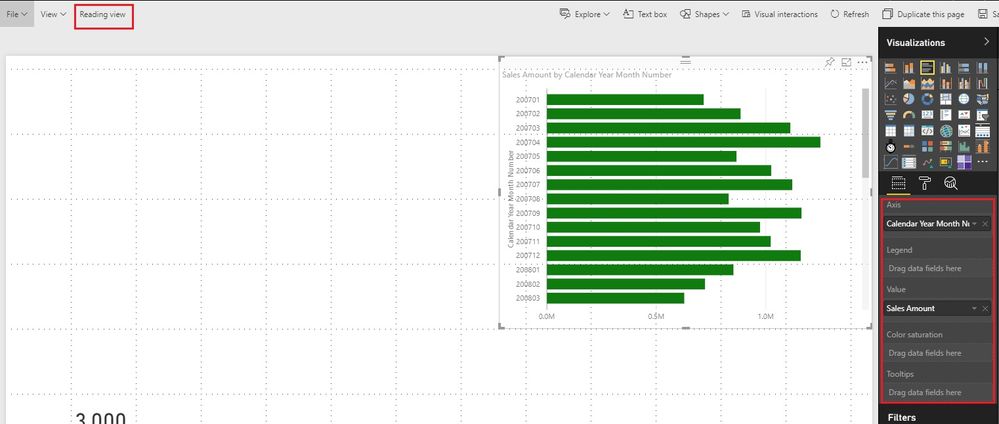
3. Change the report into Edit mode, click the broken visual, maybe we can see which fields are broken from the fields pane.
Best Regards!
Dale
So I re-uploaded it again today and it seems to have fixed itself in a different workspace I have.
It's just a regular stacked barchart that I used, that came with the program. I don't think that is a custom visual. Yes, it works find in the Desktop version.
It looks like, from edit mode, that the tables I used to create the graph aren't uploading to the app. They uploaded to the other workspace just fine though. I'm not sure why it would do that.
The Power BI Data Visualization World Championships is back! Get ahead of the game and start preparing now!
| User | Count |
|---|---|
| 48 | |
| 46 | |
| 44 | |
| 16 | |
| 15 |