Don't miss your chance to take the Fabric Data Engineer (DP-600) exam for FREE! Find out how by attending the DP-600 session on April 23rd (pacific time), live or on-demand.
Learn moreNext up in the FabCon + SQLCon recap series: The roadmap for Microsoft SQL and Maximizing Developer experiences in Fabric. All sessions are available on-demand after the live show. Register now
How can I create a report displaying basic user permissions for workspaces, reports, and dashboards?
Solved! Go to Solution.
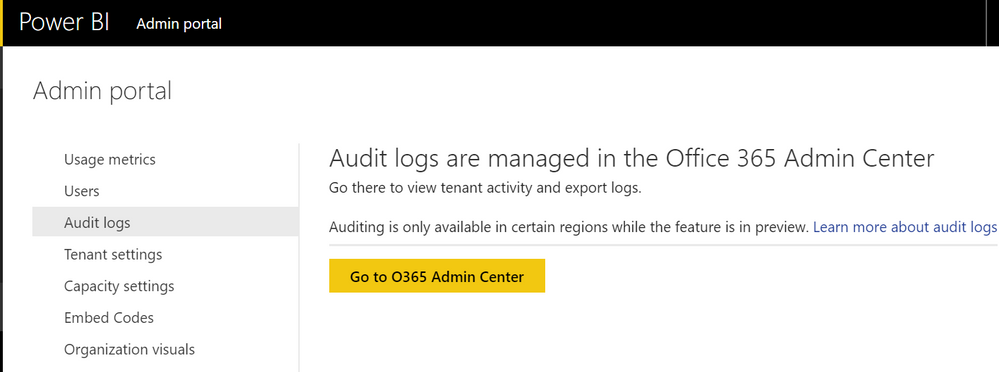
@mjcuccia, you can get to it via the Admin Portal BUT you have to be an O365 admin to actually be able to see it. The Power BI admin role does not have access to it. Neal Analytics created a nice, easy to read template to view the data (see more here) because it does come out of the O365 portal in a very ugly csv format. Also you to have turned on auditing in your tenant settings before the audit report will populate
From what I understand there is no report currently available that shows current members of a workspace, app, etc. You would have to use the audit report and tie it all together. This has been something that our organization has wanted as well.
Where do I find the audit report?
@mjcuccia, you can get to it via the Admin Portal BUT you have to be an O365 admin to actually be able to see it. The Power BI admin role does not have access to it. Neal Analytics created a nice, easy to read template to view the data (see more here) because it does come out of the O365 portal in a very ugly csv format. Also you to have turned on auditing in your tenant settings before the audit report will populate
If you have recently started exploring Fabric, we'd love to hear how it's going. Your feedback can help with product improvements.
A new Power BI DataViz World Championship is coming this June! Don't miss out on submitting your entry.
Share feedback directly with Fabric product managers, participate in targeted research studies and influence the Fabric roadmap.