Hi All,
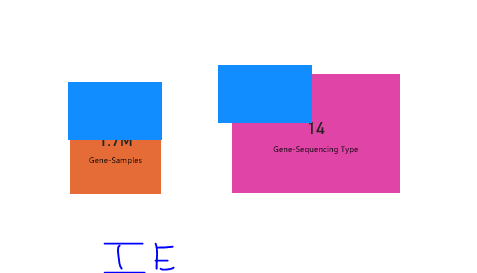
I have created a report in power BI and published in services but while testing the report in "Internet Explorer" Browser I can see some issues in my report. Issue Discreption below:
In my report I have used Transparent Data Color on my bar chart to implement the drill-through functionality on a card visual in my report. I have successfully implemented this functionality and published the report in services.
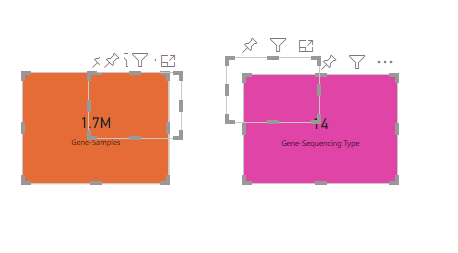
I tested the report in all the browsers such as - Chrome, Edge, Mozila Firefox and the report is working fine. But when I opened the report in the legendry "Internet Explorer"😊 I saw that the transparent color Barchart over my Card Visual is actually not transparent.
Attaching the screenshot of the sample report with both IE view and all Othere browser view, to give you all a better understanding of this issue.
I am looking for the solution for this issue. So, if anyone have any clue related to solving this issue please help me out.
Thanks in Advance!
---------------------------------
Sanjay Sen
---------------------------------
Edge View:
IE View: