cancel
Showing results for 
Search instead for 
Did you mean: 

The Power BI Data Visualization World Championships is back! It's time to submit your entry. Live now!

Reply
Anonymous
Not applicable

Reticulate Error Power BI Services (Custom R Visualizations)

I have created a working report in Power BI Desktop and I am trying to publish it to Power BI Services. Within custom R visualizations I have made, I have used reticulate and I am having trouble accessing python on Power BI Services. For my visualizations, I receive the following error:


 Error in initialize_python(required_module, use_environment) : Installation of Python not found, Python bindings not loaded.


I have also tried using the conda environment 'r-reticulate' and received the following error then:


 Error: Unable to find conda binary. Is Anaconda installed?

I am confused why reticulate is not successfully binding to python since reticulate appears to be a supported package in Power BI. Is there anyway I can successfully bind my R code to python so that I can use reticulate in Power BI Services?

1 ACCEPTED SOLUTION
Anonymous
Not applicable

For anyone wondering I was not able to find a way to access Python through reticulate on Power BI Services. Instead I rewrote all my Python code in R when I had everything that I wanted finalized.

View solution in original post

2 REPLIES 2
v-zhenbw-msft
Community Support
Community Support

Hi @Anonymous ,


Please check whether the path local installation of R is C:\Program Files\R\R-3.5.3.  ( Options and settings > Options > R Scripting.)


Re1.jpg


And you also check the limitations of R through this article.


Please refer the following two post, hope them help.


https://community.powerbi.com/t5/Desktop/R-Visual-Rcpp-package-error/td-p/471272

https://community.powerbi.com/t5/Desktop/Error-when-connecting-python-to-PBI/td-p/593716


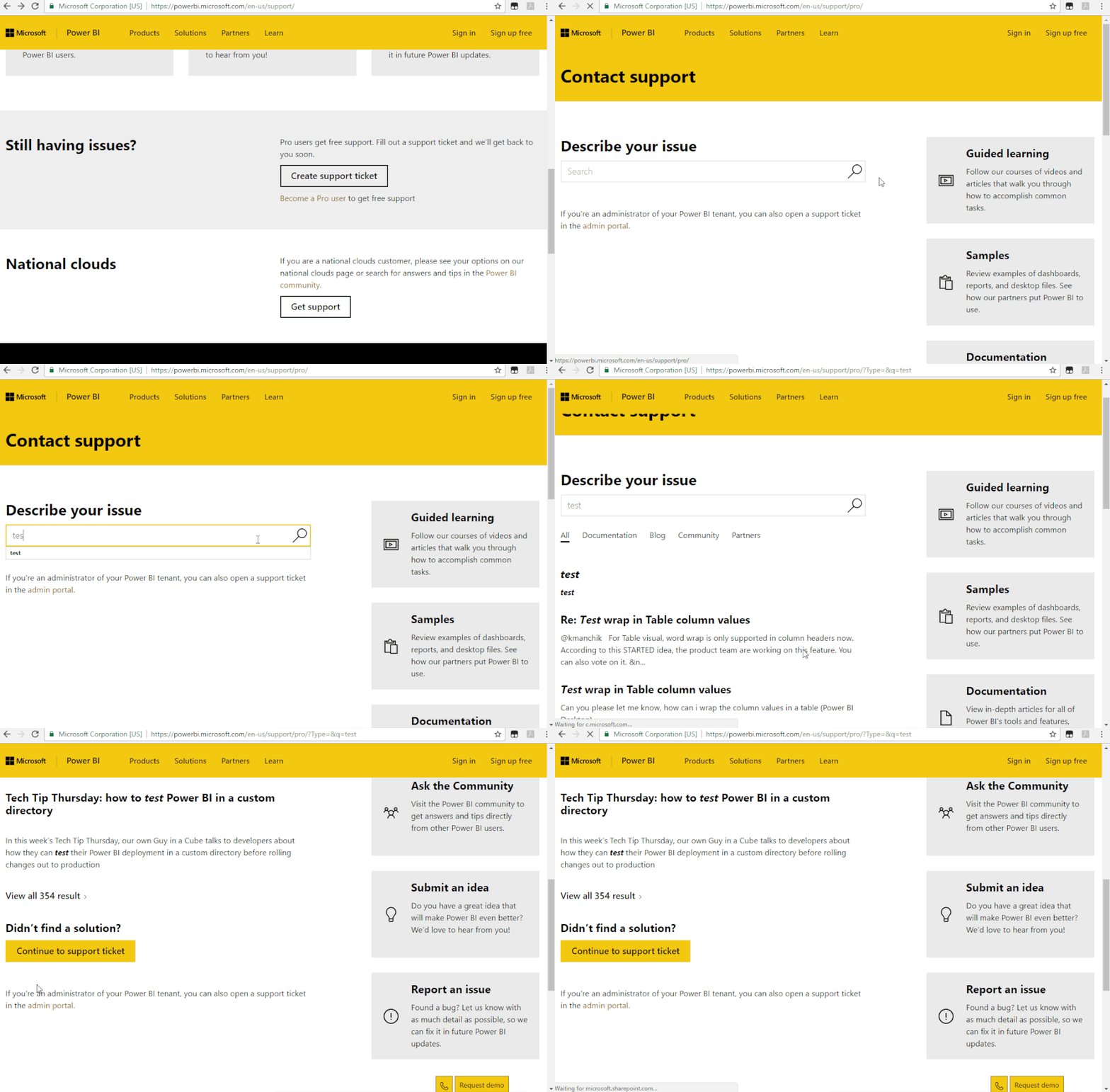
If it doesn’t meet your requirement, we suggest you to open a ticket here for help: https://powerbi.microsoft.com/en-us/support/

Let engineers solve this issue from your perspective.


Support Ticket .gif


Best regards,


Community Support Team _ zhenbw

If this post helps, then please consider Accept it as the solution to help the other members find it more quickly.

Anonymous
Not applicable

For anyone wondering I was not able to find a way to access Python through reticulate on Power BI Services. Instead I rewrote all my Python code in R when I had everything that I wanted finalized.

Helpful resources

Announcements
December 2025 Power BI Update Carousel

Power BI Monthly Update - December 2025

Check out the December 2025 Power BI Holiday Recap!

FabCon Atlanta 2026 carousel

FabCon Atlanta 2026

Join us at FabCon Atlanta, March 16-20, for the ultimate Fabric, Power BI, AI and SQL community-led event. Save $200 with code FABCOMM.