cancel
Showing results for 
Search instead for 
Did you mean: 

Try your skills in the Power BI Dataviz World Championship! Round one ends June 26. Join now

Reply
S_M
Helper III
Helper III

Report Page Slicing

Hey everyone,


I needed some help undersanding if we can limit the functionality of slicing all data in a report based on one selected filter on a tile (eg ; pie chart) 


For example, i have a generic report view showing metrics from GA and other sources. Some of these may not be related - however, if i were to select a pie chart for one dimension, it slices the entire report accordingly, and sometimes incorrectly. Is there any way i can prevent this / lock this from happening ?

1 ACCEPTED SOLUTION
BhaveshPatel
Super User
Super User

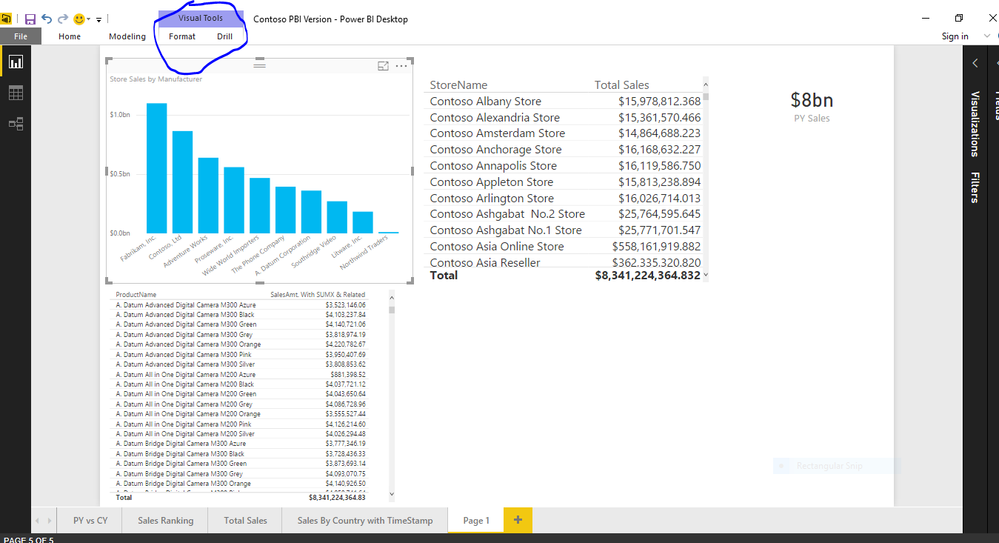
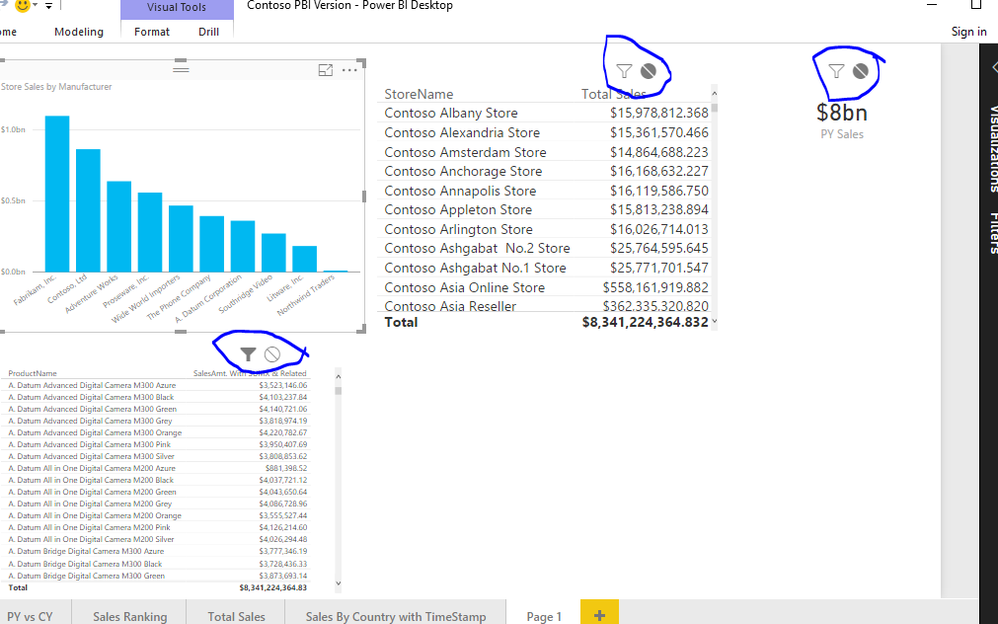
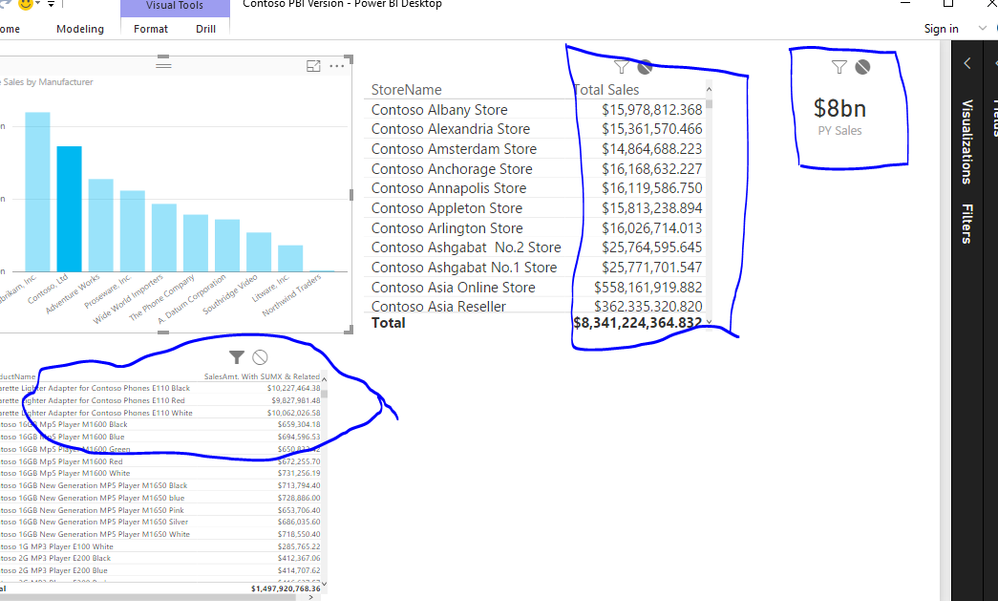
This is a sample contoso database. Select your chartThis is a sample contoso database. Select your chartGo to format and select edit interactions , select the white round buttonGo to format and select edit interactions , select the white round buttonYou can see the cross filtering behaviour has stopped for other two visuals.You can see the cross filtering behaviour has stopped for other two visuals.

This would solve your problem. 

Thanks & Regards,
Bhavesh

Love the Self Service BI.
Please use the 'Mark as answer' link to mark a post that answers your question. If you find a reply helpful, please remember to give Kudos.

View solution in original post

3 REPLIES 3
v-haibl-msft
Microsoft Employee
Microsoft Employee

@S_M


BhaveshPatel has provided the solution in Power BI Desktop.

In Power BI Service, you can also find the same function “Visualization interactions”. Please refer to this document for details.


Best Regards,

Herbert

BhaveshPatel
Super User
Super User

This is a sample contoso database. Select your chartThis is a sample contoso database. Select your chartGo to format and select edit interactions , select the white round buttonGo to format and select edit interactions , select the white round buttonYou can see the cross filtering behaviour has stopped for other two visuals.You can see the cross filtering behaviour has stopped for other two visuals.

This would solve your problem. 

Thanks & Regards,
Bhavesh

Love the Self Service BI.
Please use the 'Mark as answer' link to mark a post that answers your question. If you find a reply helpful, please remember to give Kudos.

This is exactly what i needed! Thank you so much 🙂 

Helpful resources

Announcements
Fabric Data Days is here Carousel

Data Days 2026

Don't miss out on Data Days, June 15 through August 7. Learn Fabric, Power BI, SQL, AI and more.

Power BI DataViz World Championships carousel

Power BI DataViz World Championships - June 2026

A new Power BI DataViz World Championship is coming this June! Don't miss out on submitting your entry.