cancel
Showing results for 
Search instead for 
Did you mean: 

The Power BI Data Visualization World Championships is back! It's time to submit your entry. Live now!

Reply
amitg
New Member

Query string parameters in URL returns error

Hey all,

I have a published report (in a group app & workspace).

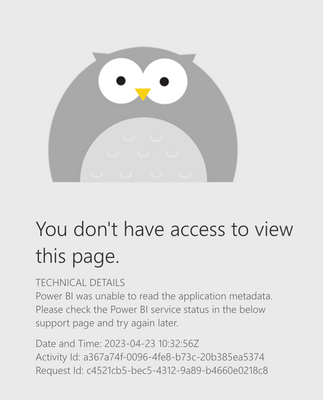
When tried to add a filter to the URL link it returned the error in the attached screenshot.

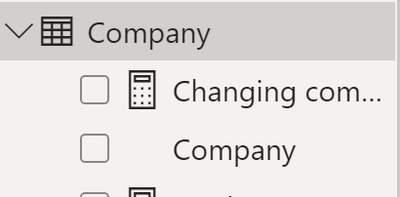
Also attached the table & field themselves.

Tried both from the app link and the workspace link.

Link - 

https://app.powerbi.com/groups/me/apps/0eaffa71-7cc1-4bea-8faa-dc83fb69896d/reports/651dabf7-eb10-4b...?filter=Company/Company eq 'Viewer'

amitg_1-1682246461383.png


amitg_0-1682246326006.png


1 REPLY 1
Greg_Deckler
Community Champion
Community Champion

@amitg I can't replicate this exactly but I will say that I have never had much luck with query string parameters in the Service. You could check the Issues forum here:

https://community.powerbi.com/t5/Issues/idb-p/Issues

And if it is not there, then you could post it.

If you have Pro account you could try to open a support ticket. If you have a Pro account it is free. Go to https://support.powerbi.com. Scroll down and click "CREATE SUPPORT TICKET".


Follow on LinkedIn
@ me in replies or I'll lose your thread!!!
Instead of a Kudo, please vote for this idea
Become an expert!: Enterprise DNA
External Tools: MSHGQM
YouTube Channel!: Microsoft Hates Greg
Latest book!:
DAX For Humans

DAX is easy, CALCULATE makes DAX hard...

Helpful resources

Announcements
December 2025 Power BI Update Carousel

Power BI Monthly Update - December 2025

Check out the December 2025 Power BI Holiday Recap!

FabCon Atlanta 2026 carousel

FabCon Atlanta 2026

Join us at FabCon Atlanta, March 16-20, for the ultimate Fabric, Power BI, AI and SQL community-led event. Save $200 with code FABCOMM.