
cancel
Showing results for 
Search instead for 
Did you mean: 

The Power BI Data Visualization World Championships is back! Get ahead of the game and start preparing now! Learn more

Reply
lorocopey
Regular Visitor

Public Web Fail

I am trying to share a report in a public way and it has been impossible for me, the previous ones that I am sharing if they are shown, but the new one, is there any new restriction? I have changed the name, returned to upload and nothing, not shown
Screenshot_1.png

3 REPLIES 3
v-frfei-msft
Community Support
Community Support

Hi @lorocopey ,


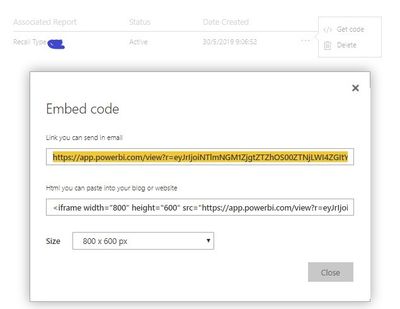
Did you mean publish to web? Could you please have a check wheter the code has been removed in admin portal? Or you can just republish to check again.

publish to web.PNG


Community Support Team _ Frank
If this post helps, then please consider Accept it as the solution to help the others find it more quickly.

Hi @v-frfei-msft 

If I refer to publish on the web, I've already created it several times, and still nothing the same message, someone has happened?Screenshot_2.jpg


Hi @lorocopey ,


Publish to web is supported for the vast majority of data sources and reports in the Power BI service, however, the following are not currently supported or available with Publish to web:

  • Reports using row level security.
  • Reports using any Live Connection data source, including Analysis Services Tabular hosted on-premises, Analysis Services Multidimensional, and Azure Analysis Services.
  • Reports shared to you directly or through an organizational content pack.
  • Reports in a group in which you are not an edit member.
  • "R" Visuals are not currently supported in Publish to web reports.
  • Exporting Data from visuals in a report, which has been published to the web.
  • ArcGIS Maps for Power BI visuals.
  • Reports containing report-level DAX measures.
  • Single sign-on data query models.
  • Secure confidential or proprietary information.
  • The automatic authentication capability provided with the Embed option doesn't work with the Power BI JavaScript API. For the Power BI JavaScript API, use the user owns data approach to embedding. Learn more about user owns data.


Community Support Team _ Frank
If this post helps, then please consider Accept it as the solution to help the others find it more quickly.

Helpful resources

Announcements
Power BI DataViz World Championships

Power BI Dataviz World Championships

The Power BI Data Visualization World Championships is back! Get ahead of the game and start preparing now!

December 2025 Power BI Update Carousel

Power BI Monthly Update - December 2025

Check out the December 2025 Power BI Holiday Recap!

FabCon Atlanta 2026 carousel

FabCon Atlanta 2026

Join us at FabCon Atlanta, March 16-20, for the ultimate Fabric, Power BI, AI and SQL community-led event. Save $200 with code FABCOMM.