Get certified for free when you join Fabric Data Days 2026 and dive into Fabric, Power BI, SQL, AI, and other essential data skills.
Join nowJuly 28 - August 9 | Final Round of the Power BI Dataviz World Championships. This is your chance. Learn more
Hi,
I'm currently using dataflow to agregate multiple table and there no problem there.
However when I load the dataflow into my report some rows that look alike disappear.
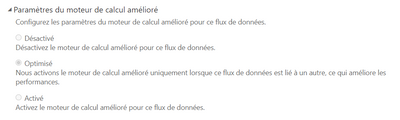
I think the calculation optimizer is deleting some rows be cause when I load each table I don't have this loss of data.
I can't desactivate it and I'm not even sure this is the reason.
Is this a known bug, I didn't see much information on internet
Regards,
Antoine
I had cases where some of my data had trailing spaces and others didn't. This can result in the inconsistency you describe as Vertipaq tends to silently trim values. I can demonstrate if desired.
I see the politness is oldfashion, but hello to you too.
Yes I have proof, I'm loading several millions of lines from 6 differents files, I aggregate them in one big table, some lines really look alike but there are no duplicates however I think the enhanced compute engine is deleting some rows or agregating them in the wrong way.
When I load the 6 differents files in the dataflow but aggregate them in Power BI Desktop, the problem disapear.
"I'm currently using dataflow to agregate multiple table and there no problem there"
So you have proof that the Power Query for your dataflow results in all rows being present?
If you love stickers, then you will definitely want to check out our community sticker challenge, Barcelona edition!
Check out the July 2026 Power BI update to learn about new features.
| User | Count |
|---|---|
| 10 | |
| 9 | |
| 9 | |
| 7 | |
| 5 |