cancel
Showing results for 
Search instead for 
Did you mean: 

July 7 - July 17 | Round 2 of the Power BI Dataviz World Championships. Don't miss your chance! Learn more

Reply
RuiReis
New Member

Printing reports problem

Hi,


When you print a report from Power Bi Service the page is always to big and because of that it only prints part of the information. If you print using Ctrl+P it´s ok.

Any idea?

2 REPLIES 2
v-danhe-msft
Microsoft Employee
Microsoft Employee

Hi @RuiReis,

Could you please tell me if your problem has been solved? If it is, could you please mark the helpful replies as Answered to close this topic?


Regards,

Daniel He

Community Support Team _ Daniel He
If this post helps, then please consider Accept it as the solution to help the other members find it more quickly.
v-danhe-msft
Microsoft Employee
Microsoft Employee

Hi @RuiReis,

Based on my test, it seemed related to different browser and the setting is different:

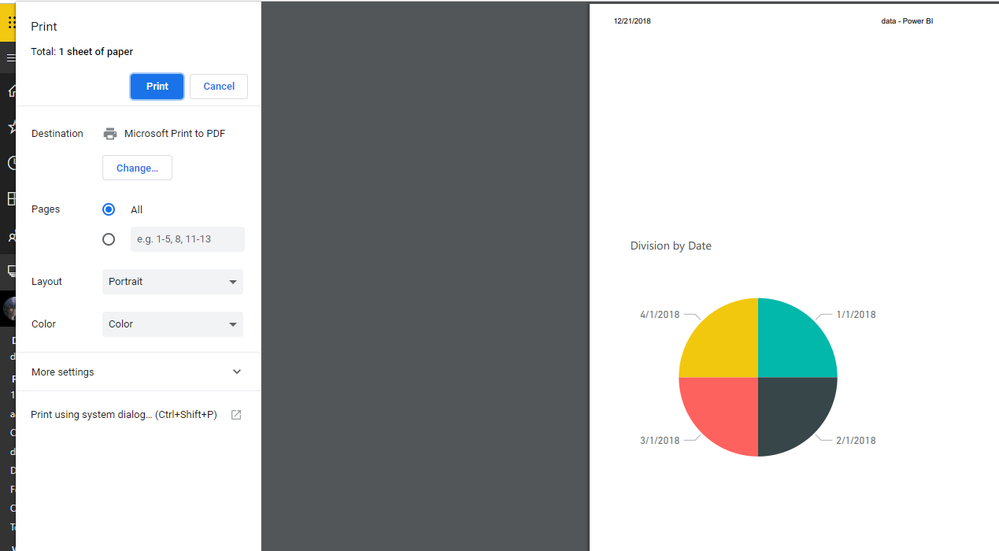
In Chrome, it works normally on my side:

1.PNG

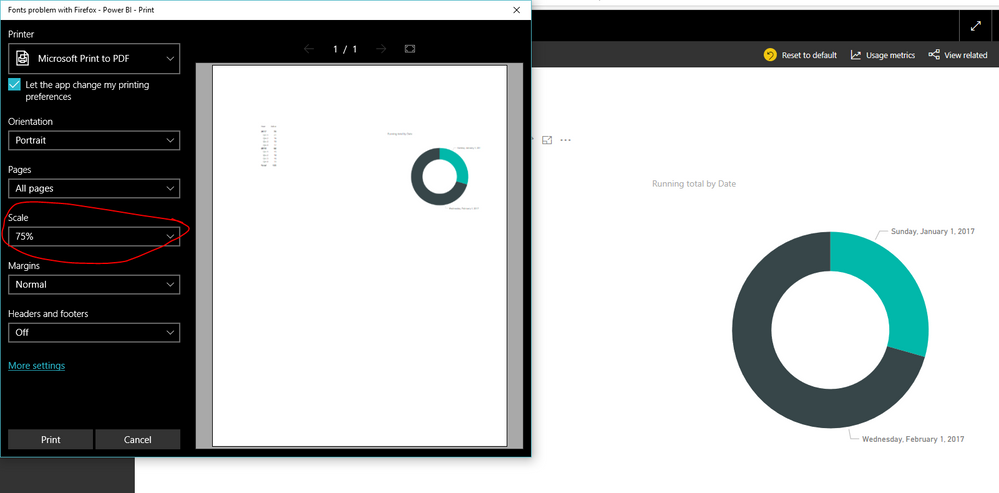
In Edge, I could reproduce your problem, but you could modify the Scale to show the page normally:

1.PNG


Hope it could help you.


Regards,

Daniel He

Community Support Team _ Daniel He
If this post helps, then please consider Accept it as the solution to help the other members find it more quickly.

Helpful resources

Announcements
FabCon and SQLCon Barcelona 2026

FabCon & SQLCon – Barcelona 2026

Join us in Barcelona for FabCon and SQLCon, the Fabric, Power BI, SQL, and AI community event. Save €200 with code FABCMTY200.

60 days of Data Days Carousel

Data Days 2026

Join Data Days 2026: 60 days of free live/on-demand sessions, challenges, study groups, and certification opportunities.

Power BI DataViz World Championships carousel

Power BI DataViz World Championships - June 2026

A new Power BI DataViz World Championship is coming this June! Don't miss out on submitting your entry.

Top Kudoed Authors