Get Fabric or SQL Certified for Free.
Get certified for free when you join Fabric Data Days 2026 and dive into Fabric, Power BI, SQL, AI, and other essential data skills.
Join now- Power BI forums
- Get Help with Power BI
- Desktop
- Service
- Report Server
- Power Query
- Mobile Apps
- Developer
- DAX Commands and Tips
- Custom Visuals Development Discussion
- Health and Life Sciences
- Power BI Spanish forums
- Translated Spanish Desktop
- Training and Consulting
- Instructor Led Training
- Dashboard in a Day for Women, by Women
- Galleries
- Data Stories Gallery
- Themes Gallery
- Contests Gallery
- QuickViz Gallery
- Quick Measures Gallery
- Visual Calculations Gallery
- Fabric Apps Gallery
- Notebook Gallery
- Translytical Task Flow Gallery
- TMDL Gallery
- R Script Showcase
- Webinars and Video Gallery
- Ideas
- Custom Visuals Ideas (read-only)
- Issues
- Issues
- Events
- Upcoming Events
July 28 - August 9 | Final Round of the Power BI Dataviz World Championships. This is your chance. Learn more
- Power BI forums
- Forums
- Get Help with Power BI
- Service
- Re: Print to PDF background image problems
- Subscribe to RSS Feed
- Mark Topic as New
- Mark Topic as Read
- Float this Topic for Current User
- Bookmark
- Subscribe
- Printer Friendly Page


- Mark as New
- Bookmark
- Subscribe
- Mute
- Subscribe to RSS Feed
- Permalink
- Report Inappropriate Content
Print to PDF background image problems
Hi,
I have report for which i created background image. In power BI Desktop and also on Workplace on everything looks good (Pic 1). But when I print it to PDF (from Desktop or from Workplace), the background image is not in correct place, it moves down (Pic 2 ). When I export the Report to PowerPoint, the pages are OK.
Any tips how to solve this?
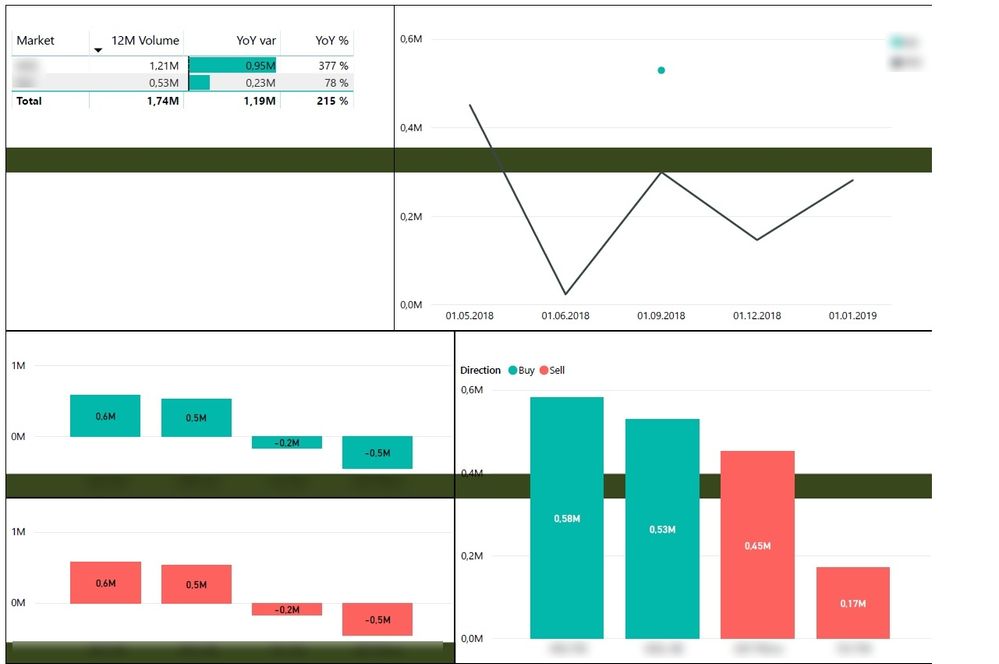

Solved! Go to Solution.
- Mark as New
- Bookmark
- Subscribe
- Mute
- Subscribe to RSS Feed
- Permalink
- Report Inappropriate Content
Hi,
I didnt help. I went through other forums and as I understand, MS do not support printing the reports. So I gave up. I take it as Power BI reports are not printable, when background image or other graphics is used.
Cheers

- Mark as New
- Bookmark
- Subscribe
- Mute
- Subscribe to RSS Feed
- Permalink
- Report Inappropriate Content
Hi,
I've had the same problem for a while and today I found an solution for the problem.
When you add a picture as a background you need to change "Image Fit" to "Fit". Then the picture will stay in the right place during Export to PDF.

- Mark as New
- Bookmark
- Subscribe
- Mute
- Subscribe to RSS Feed
- Permalink
- Report Inappropriate Content
Hi Mats_S,
You are correct, this was the solution that used to work for me as well. When i used to export the report in PDF format it was all ok and image was in center/middle alligned position by setting it to "FILL".
But now since i have upgraded to March 2020 updates, this feature is not working correctly and the exported PDF file has background image bottom aligned as complained by the thread author.
What is the problem now?
- Mark as New
- Bookmark
- Subscribe
- Mute
- Subscribe to RSS Feed
- Permalink
- Report Inappropriate Content
Hi
If you select Fitt instead of Fill then it should work, Fitt is the only setting that fixes the problem.
I'm running the March 2020 update and it works for me.
- Mark as New
- Bookmark
- Subscribe
- Mute
- Subscribe to RSS Feed
- Permalink
- Report Inappropriate Content
Thanks for your response.
Yes, "FIT" woks for me too but it stretches the image vertically and doesn't print PDF with original image dimension.
Is this happening with you too ?
- Mark as New
- Bookmark
- Subscribe
- Mute
- Subscribe to RSS Feed
- Permalink
- Report Inappropriate Content
Hi naeembaig,
I create all my backgrounds in PowerPoint with 16:9 ratio and save it as PNG and use that as background. When I choose Fitt in Power Bi I get a small stretch in the vertical direction but it has been close enough for me.
Hope this will help you.


- Mark as New
- Bookmark
- Subscribe
- Mute
- Subscribe to RSS Feed
- Permalink
- Report Inappropriate Content
- Mark as New
- Bookmark
- Subscribe
- Mute
- Subscribe to RSS Feed
- Permalink
- Report Inappropriate Content
Hi @iwf
Could you tell me if your problem has been solved? If it is,kindly mark the helpful answer as a solution and welcome to share your own solution. More people will benefit from here.
Regards,
If this post helps, then please consider Accept it as the solution to help the other members find it more quickly.
- Mark as New
- Bookmark
- Subscribe
- Mute
- Subscribe to RSS Feed
- Permalink
- Report Inappropriate Content
Hi,
I didnt help. I went through other forums and as I understand, MS do not support printing the reports. So I gave up. I take it as Power BI reports are not printable, when background image or other graphics is used.
Cheers
- Mark as New
- Bookmark
- Subscribe
- Mute
- Subscribe to RSS Feed
- Permalink
- Report Inappropriate Content
Hi @iwf
Got it.Kindly mark your answer as a solution to close this thread.
Regards,
If this post helps, then please consider Accept it as the solution to help the other members find it more quickly.
Helpful resources

FabCon & SQLCon – Barcelona 2026
Join us in Barcelona for FabCon and SQLCon, the Fabric, Power BI, SQL, and AI community event. Save €200 with code FABCMTY200.

Fabric Community Sticker Challenge - Barcelona 2026
If you love stickers, then you will definitely want to check out our community sticker challenge, Barcelona edition!

Power BI Monthly Update - July 2026
Check out the July 2026 Power BI update to learn about new features.

Power BI DataViz World Championships - June 2026
A new Power BI DataViz World Championship is coming this June! Don't miss out on submitting your entry.

| User | Count |
|---|---|
| 11 | |
| 10 | |
| 9 | |
| 8 | |
| 5 |


