Hi All,
My company was thinking of using PowerBI Embedded for our clients and was wondering which capacity would suit our needs.
I have tried the Power BI Dedicated Capacity Load Assessment Tool from Github.
I have realised that no matter what capacity I am using, the refreshing will fail after a few iterations (i.e, a sad grey face pops up and all the browsers across the different computers I am testing all fail). I am running reports with heavy GIS visuals btw.
Initially, I thought it had to be an issue with the A1 SKU but tracking the processing and ram performance on the App showed that nothing was overloaded.
As an example, running 3 different reports on 3 different devices on an A1 SKU fails when the max CPU is at 38% - note that the overload metric is showing
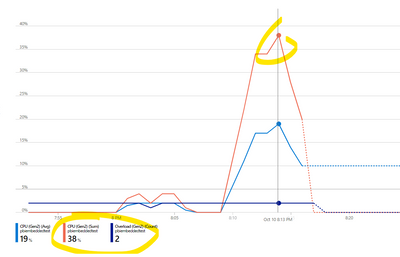
On an A2 - Fails at 10%

On an A4 - Fails at 2%
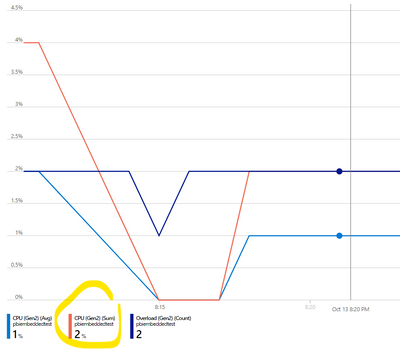
So clearly there are still remaining capacities - unsure why the browser crashes - I've also noted that both the CPU and RAM for my own computers had no issue as well.
Some of the reports are GIS heavy but running ones where it doesn't still crash it.


