cancel
Showing results for 
Search instead for 
Did you mean: 

Vote for your favorite vizzies from the Power BI Dataviz World Championship submissions. Vote now!

Reply
EmilianoB
New Member

Power BI interoperability

Hi all, I am a newby of PowerBI solutions and I am digging and performing some research to understand if PowerBI is what I am loking for to fulfill my requirements.


I am currently responsible for an application which has a lot of hystorical data. Such data might be useful for some user to make and drive important decision. So I would like to present such data using a BI tool, like Power BI.


As far as I know PowerBI can easily access my data, create tiles and dashboard via Power BI Desktop and present updated view when data changes. My doubts are about the interoperability between the two systems: "My Application" and "PowerBi". In a certain way the data displayed in the Tiles should be "contextualized" given the user input from my application. Something like "I click on a grid in my application (so I have the context) and the Power BI tiles should be populated accordingly".


Expecially what I need to know is:

  • is it possible to "connect" such systems? Simple example... suppose I have a Power BI tile showing the revenue of my sells split by car manufactures (Audi, Bmw, Mercedes,...). My goal is: if I select in my application a car manufacture like Audi, is it possible to display in my previous tile just the "Audi" data?
  • The application i develop can be run by different users: one local instance one user on one pc. So, in the example above, one user might want to see Audi data, another one Bmw data, the third one Mercedes one. Is it feasible something like that, maybe running more instance of the PowerBI display?

I really try to figure out the questions for the above points, but I wasn't able to find out proper answers. 


Thanks a lot  for your attention,

Emiliano B.

1 ACCEPTED SOLUTION
Icey
Community Support
Community Support

Hi @EmilianoB ,


To my knowledge, it is impossible.


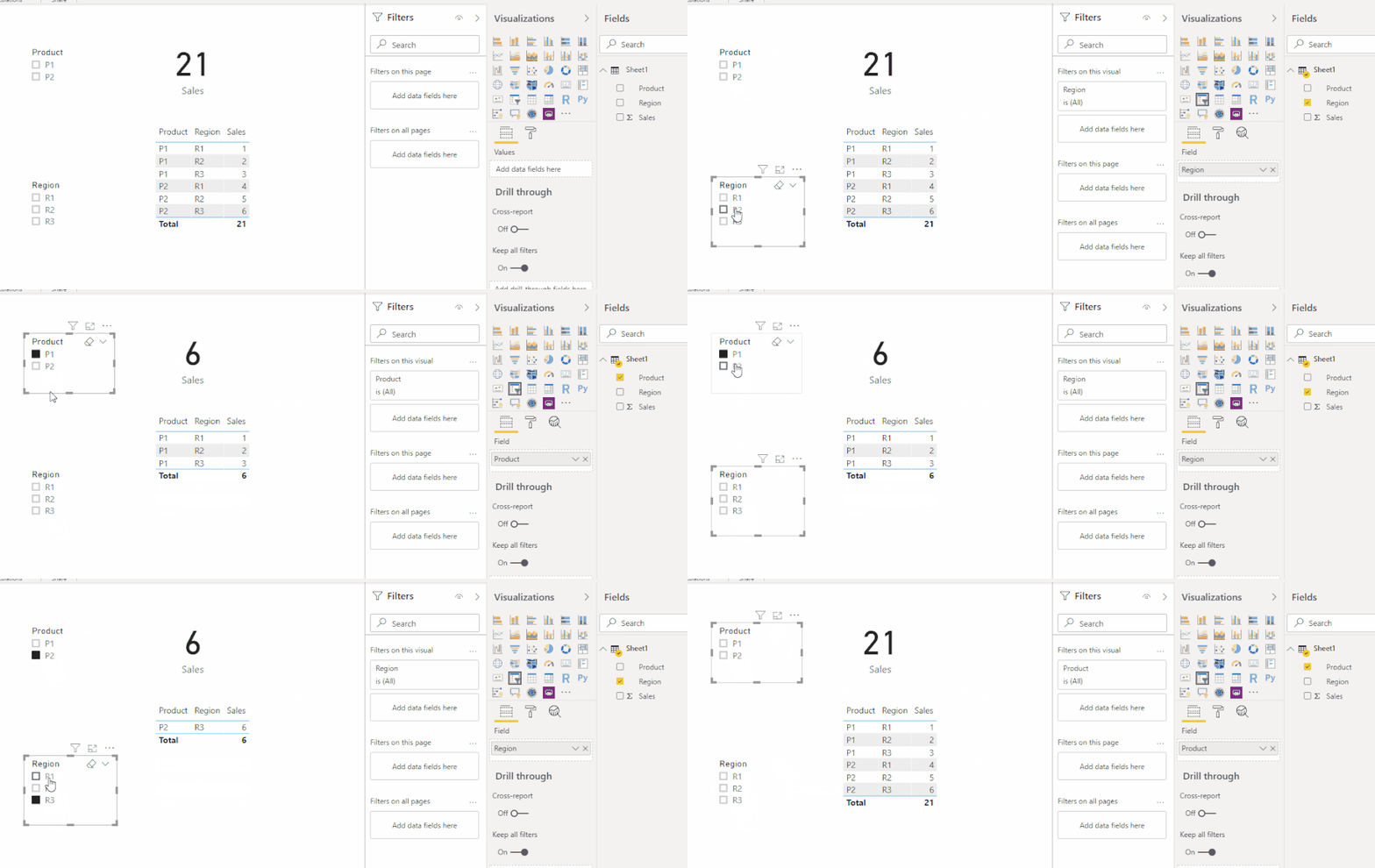
It is suggested to use Slicers in Power BI to filter data. The effect is the same as what you described.

slicer demo.gif


There is a demo file attached. Please check.


Best Regards,

Icey


If this post helps, then please consider Accept it as the solution to help the other members find it more quickly.

View solution in original post

1 REPLY 1
Icey
Community Support
Community Support

Hi @EmilianoB ,


To my knowledge, it is impossible.


It is suggested to use Slicers in Power BI to filter data. The effect is the same as what you described.

slicer demo.gif


There is a demo file attached. Please check.


Best Regards,

Icey


If this post helps, then please consider Accept it as the solution to help the other members find it more quickly.

Helpful resources

Announcements
Power BI DataViz World Championships

Power BI Dataviz World Championships

Vote for your favorite vizzies from the Power BI World Championship submissions!

Sticker Challenge 2026 Carousel

Join our Community Sticker Challenge 2026

If you love stickers, then you will definitely want to check out our Community Sticker Challenge!

January Power BI Update Carousel

Power BI Monthly Update - January 2026

Check out the January 2026 Power BI update to learn about new features.

FabCon Atlanta 2026 carousel

FabCon Atlanta 2026

Join us at FabCon Atlanta, March 16-20, for the ultimate Fabric, Power BI, AI and SQL community-led event. Save $200 with code FABCOMM.