Join us at FabCon Atlanta from March 16 - 20, 2026, for the ultimate Fabric, Power BI, AI and SQL community-led event. Save $200 with code FABCOMM.
Register now!The Power BI Data Visualization World Championships is back! Get ahead of the game and start preparing now! Learn more
Hi!
I'm having trouble connecting to an Azure SQL Server database from Power BI. I have created a service account in Azure AD that has data_reader permissions in the database, which works well to connect to the database when I run SSMS. But when I test from Power BI Desktop or online it does not work. I've tried to enter the login information in both Windows and Microsoft Account.
If I try to use an SQL account and the option "database" authentication it works locally, but I need to share my report/dataset online and setup an automatic refresh of the dataset.
/Jonas
Solved! Go to Solution.
Hi @Ncedia ,
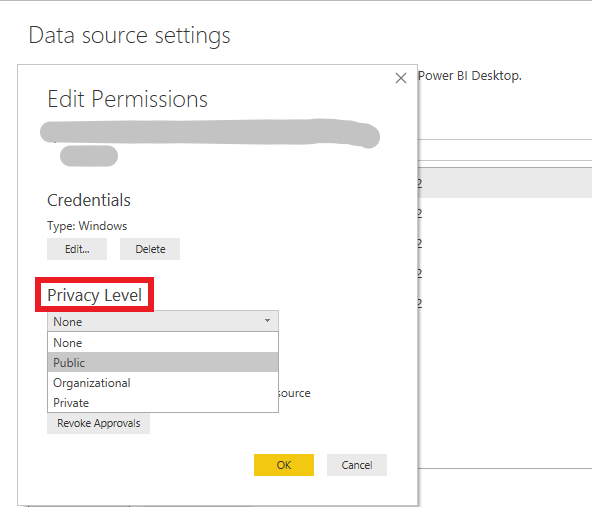
Please check if the privacy level in Desktop matches in Service. And if it is private, please change to public to have a try.
Best Regards,
Xue Ding
If this post helps, then please consider Accept it as the solution to help the other members find it more quickly.
Hi @Ncedia ,
Please check if the privacy level in Desktop matches in Service. And if it is private, please change to public to have a try.
Best Regards,
Xue Ding
If this post helps, then please consider Accept it as the solution to help the other members find it more quickly.
The Power BI Data Visualization World Championships is back! Get ahead of the game and start preparing now!