Don't miss your chance to take the Fabric Data Engineer (DP-600) exam for FREE! Find out how by watching the DP-600 session on-demand now through April 28th.
Learn moreJoin the FabCon + SQLCon recap series. Up next: Power BI, Real-Time Intelligence, IQ and AI, and Data Factory take center stage. All sessions are available on-demand after the live show. Register now
Hi All
I understand if I would to implement incremental refresh on my report and publish on powerbi service, I would not be able to download as PBIX file from the workspace. What if I want to just export some tables from the report in the powerbi service. Is it possible?
Thanks. @incremental refresh
Solved! Go to Solution.
Hi @Anonymous ,
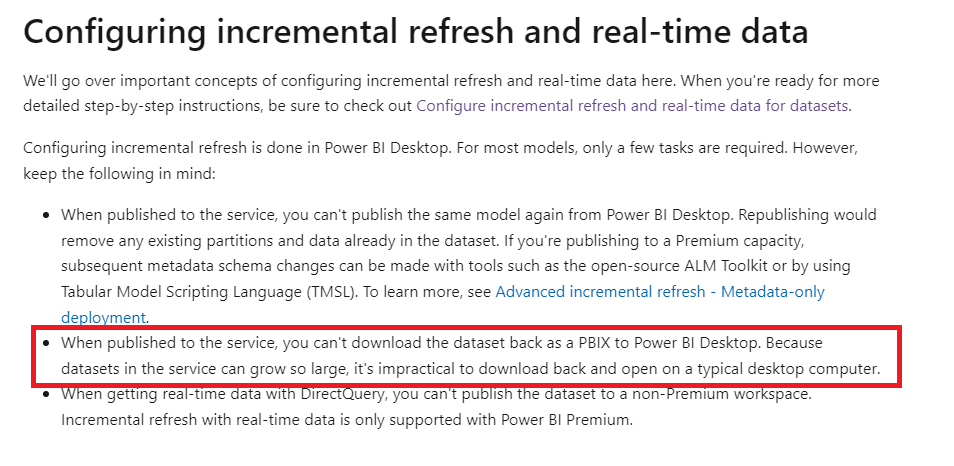
The dataset have applied incremental refresh, we couldn't download the dataset
Incremental refresh for datasets and real-time data in Power BI - Power BI | Microsoft Learn
Try the following two methods to export table data
One workaround, you can turn off Incremental refresh on Power BI Desktop, and then republish it to Power BI Service and replace the earlier report. Refer to the link below:
https://community.powerbi.com/t5/Service/Incremental-Refresh-download-pbix/m-p/940882
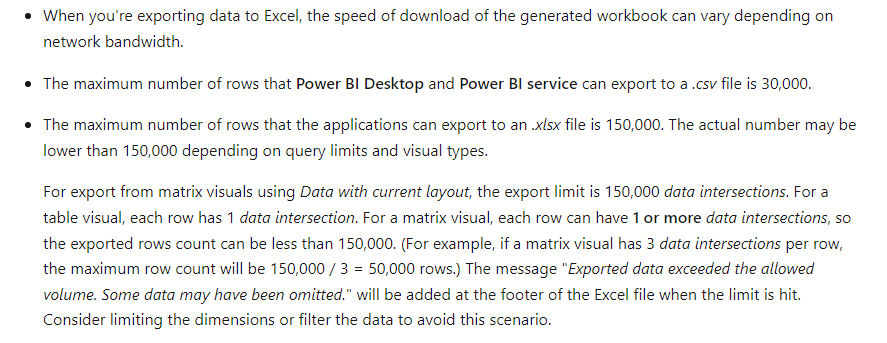
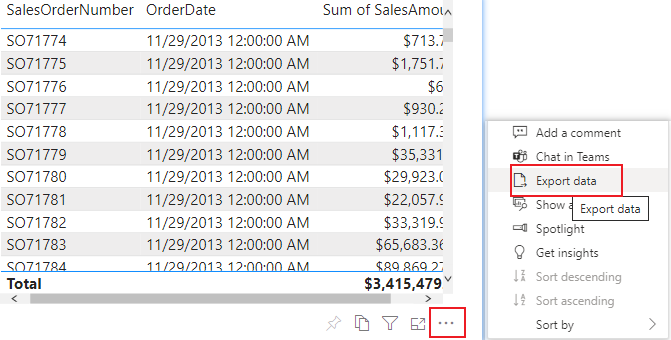
Another workaround is to make visuals of the tables you want to export and export them to files separately. However, this method has a limit on the number of rows exported, and data without a primary key will be automatically aggregated
Export data from a Power BI visualization - Power BI | Microsoft Learn
Best Regards,
Gallen Luo
If this post helps, then please consider Accept it as the solution to help the other members find it more quickly.
Hi @Anonymous ,
The dataset have applied incremental refresh, we couldn't download the dataset
Incremental refresh for datasets and real-time data in Power BI - Power BI | Microsoft Learn
Try the following two methods to export table data
One workaround, you can turn off Incremental refresh on Power BI Desktop, and then republish it to Power BI Service and replace the earlier report. Refer to the link below:
https://community.powerbi.com/t5/Service/Incremental-Refresh-download-pbix/m-p/940882
Another workaround is to make visuals of the tables you want to export and export them to files separately. However, this method has a limit on the number of rows exported, and data without a primary key will be automatically aggregated
Export data from a Power BI visualization - Power BI | Microsoft Learn
Best Regards,
Gallen Luo
If this post helps, then please consider Accept it as the solution to help the other members find it more quickly.
Check out the April 2026 Power BI update to learn about new features.
If you have recently started exploring Fabric, we'd love to hear how it's going. Your feedback can help with product improvements.
A new Power BI DataViz World Championship is coming this June! Don't miss out on submitting your entry.
| User | Count |
|---|---|
| 8 | |
| 8 | |
| 8 | |
| 8 | |
| 8 |