cancel
Showing results for 
Search instead for 
Did you mean: 

Data Days is here! Join us now for 60+ days of learning, challenges, and connection. Learn more

Reply
Anonymous
Not applicable

How to export data ?

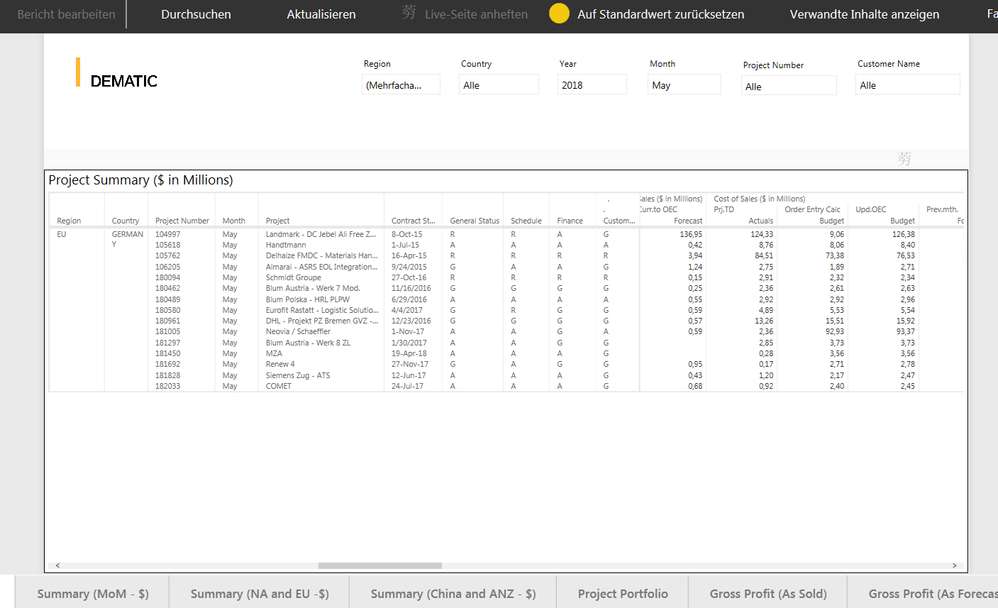
I cannot export any data from the report below. The grey bar above the report simply shows a Chinese character. How can this be fixed this so that I can export data? Any help appreciated, thanks.


question.png


1 REPLY 1
v-piga-msft
Resident Rockstar
Resident Rockstar

Hi  @Anonymous,


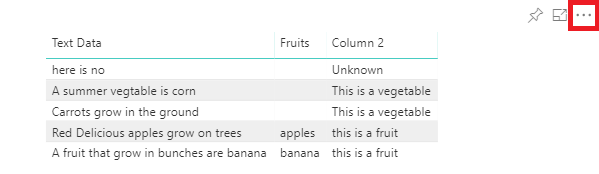
Do you have the option highlight in red for your visual?


more option.png 


If you don't have, you need to have a check if you have enabled the option Hide the visual header in reading view under Report settings in Power BI Desktop?


If have that option, but you don't have the option Export Data. You need to have  a check if your admin disabled the option Export Date under Tenant settings?


If you still need help, please share a dummy pbix file which can reproduce the issue, so that we can help further investigate on it? You can upload it to OneDrive or Dropbox and post the link here. Do mask sensitive data before uploading.)


Best  Regards,

Cherry

Community Support Team _ Cherry Gao
If this post helps, then please consider Accept it as the solution to help the other members find it more quickly.

Helpful resources

Announcements
Fabric Data Days is here Carousel

Fabric Data Days 2026

Don't miss out on Data Days, June 15 through August 7. Learn Fabric, Power BI, SQL, AI and more.

May Power BI Update Carousel

Power BI Monthly Update - May 2026

Check out the May 2026 Power BI update to learn about new features.

Power BI DataViz World Championships carousel

Power BI DataViz World Championships - June 2026

A new Power BI DataViz World Championship is coming this June! Don't miss out on submitting your entry.