Join us at FabCon Atlanta from March 16 - 20, 2026, for the ultimate Fabric, Power BI, AI and SQL community-led event. Save $200 with code FABCOMM.
Register now!The Power BI Data Visualization World Championships is back! Get ahead of the game and start preparing now! Learn more
We have a requirement where our dashboard needs to be accessed by external users outside our organization. The external users are expected to login to the Power BI portal to access the reports. Can someone suggest how the user authentication will happen for the external users while they try to login to the Power BI Portal and how Data security / Role Level security could be applied to them.
Solved! Go to Solution.
Hi @Anonymous ,
For your first issue, you need add the external users as guest user in AAD:
https://docs.microsoft.com/en-us/power-bi/service-admin-azure-ad-b2b
And switch on the option to share with external users:
https://docs.microsoft.com/en-us/power-bi/service-admin-portal#export-and-sharing-settings
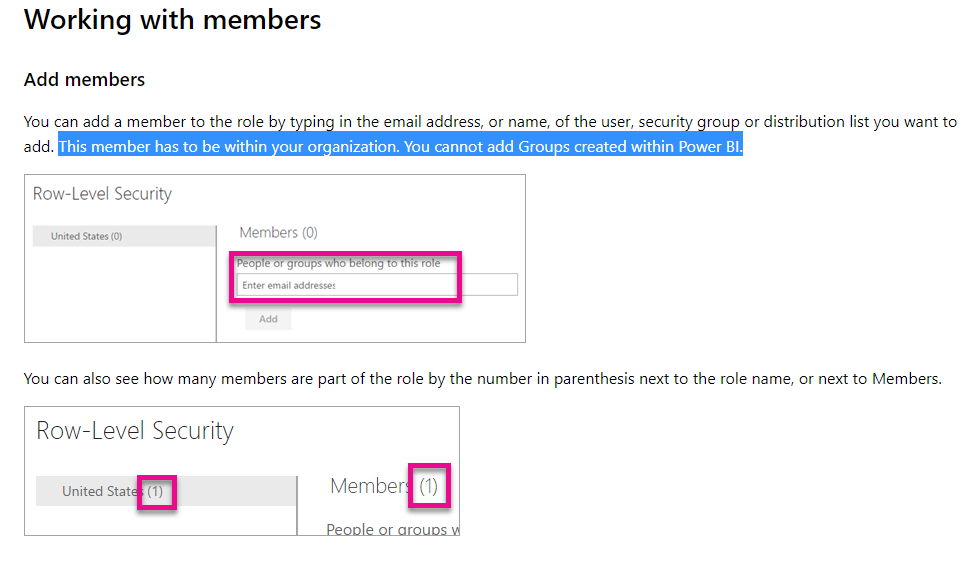
For your second issue, you could not use RLS for external users:
https://docs.microsoft.com/en-us/power-bi/service-admin-rls#working-with-members
Regards,
Daniel He
Hi @Anonymous ,
For your first issue, you need add the external users as guest user in AAD:
https://docs.microsoft.com/en-us/power-bi/service-admin-azure-ad-b2b
And switch on the option to share with external users:
https://docs.microsoft.com/en-us/power-bi/service-admin-portal#export-and-sharing-settings
For your second issue, you could not use RLS for external users:
https://docs.microsoft.com/en-us/power-bi/service-admin-rls#working-with-members
Regards,
Daniel He
Check out the November 2025 Power BI update to learn about new features.
Advance your Data & AI career with 50 days of live learning, contests, hands-on challenges, study groups & certifications and more!