Don't miss your chance to take the Fabric Data Engineer (DP-600) exam for FREE! Find out how by watching the DP-600 session on-demand now through April 28th.
Learn moreJoin the FabCon + SQLCon recap series. Up next: Power BI, Real-Time Intelligence, IQ and AI, and Data Factory take center stage. All sessions are available on-demand after the live show. Register now
Hi,
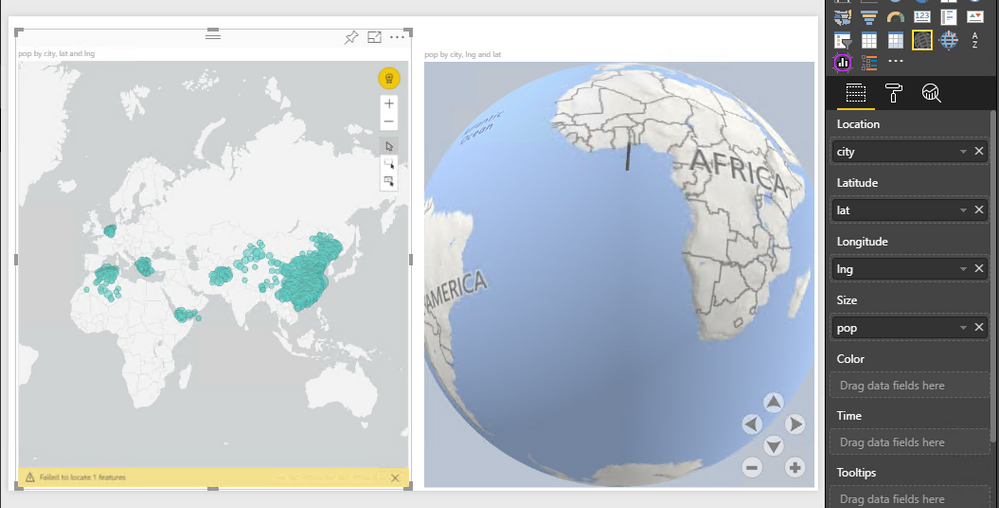
For one of the project requirement we are trying to use Globe map custom visual but I am facing issues when using project location data. To find the root cause, I used a simple csv file which contains City, Country, Lat, Long and Population even then data bars are not showing up both in Power BI Desktop and Power BI Service. Kindly share your thoughts.
About screenshot has ArcGIS Map on left side and Globe Map on right side. Both the visuals uses the same dataset.
Hi @gowrishankar65,
could you please tell me if your problem has been solved? If it is, could you please mark the helpful replies as Answered?
Regards,
Daniel He
Hi @gowrishankar65,
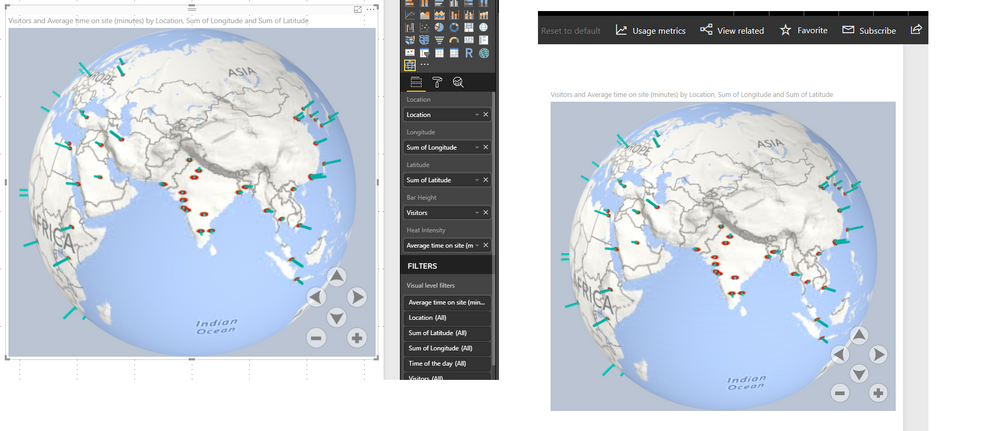
I have added a global map like yours in the map visual, it display fine both in Power BI desktop and service. Please download the attached pbix file and test on your side to see if the same issue occurs.
Regarding the issue in Power BI desktop, please try to clear the cache under this path <C:\Users\<user name>\AppData\Local\Microsoft\Power BI Desktop\CEF> then test again.
If our report works fine on your side, I would suggest you share your pbix file if possible. If the report does contain sensitive data, please upload your report to your OneDrive and send the link to me via private message.
Regards,
Daniel He
Check out the April 2026 Power BI update to learn about new features.
If you have recently started exploring Fabric, we'd love to hear how it's going. Your feedback can help with product improvements.
A new Power BI DataViz World Championship is coming this June! Don't miss out on submitting your entry.
| User | Count |
|---|---|
| 9 | |
| 8 | |
| 8 | |
| 8 | |
| 7 |