Hi all,
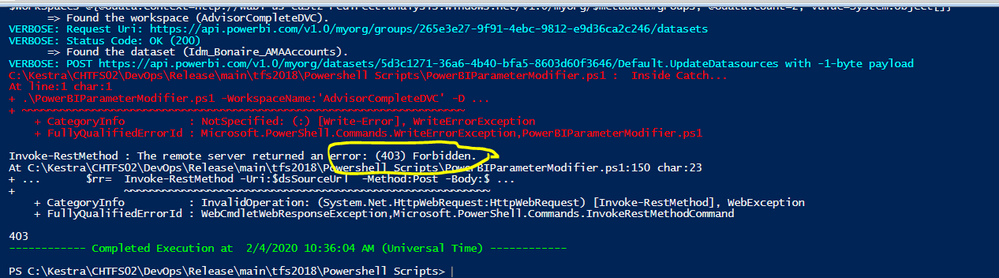
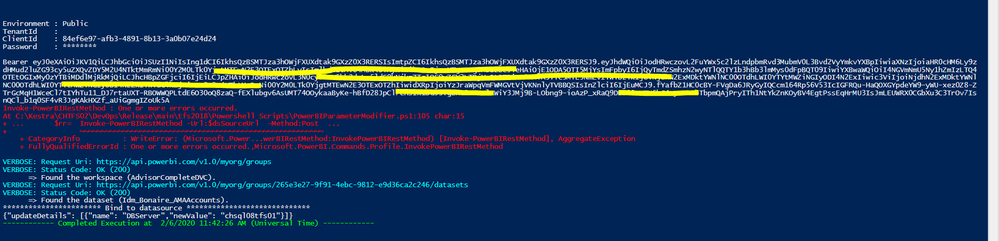
I am trying to automate the powerbi deployments using TFS 2019. In which I need to check in the .pbix file then after deploying to different environments like QA, UAT, PROD, I need to update the connection string of the data source. For this purpose, I have created one Service principal in the Azure portal and added it to the TFS 2019. So all report\dataset deployments will be done by this service principal. This part is working fine. Now I need to create Power shell scripts to execute the PowerBI APIs. I can connect, login to the powerbi account using my service principal. I have registered an app in the Azure portal and provided all permission. I also created a security group in azure and added this service principal to this security group. In the power BI admin portal, I am using this security group to restrict the permissions. Now I can perform all GET methods without any exception. But when I try to update the dataset connection string and update the gateway using the powerBI API post method, I am getting the 403 (forbidden) exception or "Cannot add value because header 'Authorization' does not support multiple values.".
As per the API document (), Dataset.ReadWrite.All are required to execute the API. Is it required to get the auth token specifically for this scope? How can I get the auth code for this particular scope?
Code to get the token
$clientId ='my client Id';
$clientSecret = ConvertTo-SecureString "my client secret" -AsPlainText -Force ;
$spCredentials =New-Object System.Management.Automation.PSCredential($clientId, $clientSecret);
$account = Login-PowerBI -ServicePrincipal -TenantId $tenantId -Credential $spCredentials -ErrorAction: Stop;
Code to update the gateway binding
$bindToDSUrl= ' https://api.powerbi.com/v1.0/myorg/datasets/{datasetid}/Default.BindToGateway'
$bindToDSData = '{
"gatewayObjectId": "gateway object id",
"datasourceObjectIds": [
"{datasourceId}"
]
}';
$headers = @{
'Authorization' = (Get-PowerBIAccessToken -AsString);
}
$res = Invoke-PowerBIRestMethod -Url:$bindToDSUrl -Method:Post -Headers: $headers -Body:$bindToDSData -ContentType 'application/json; charset=utf-8' -Verbose -ErrorAction:Stop
now getting the following exception
Cannot add value because header 'Authorization' does not support multiple values.
code to update the datasource
$dsSourceUrl = 'datasets/{datasetid}/Default.UpdateDatasources';
$dsDataJson = '{"updateDetails": [{"datasourceSelector": {"datasourceType": "Sql","connectionDetails": {"server": "newDBServer","database": "TestDB"}},"connectionDetails": {"server": "newDBServer","database": "TestDB_Prod"}}]}';
$rr= Invoke-PowerBIRestMethod -Url:$dsSourceUrl -Method:Post -Body:$dsDataJson -Headers:$headers -ContentType:'application/json; charset=utf-8' -Verbose
now getting 403 exceptions.