cancel
Showing results for 
Search instead for 
Did you mean: 

Data Days is here! Join us now for 60+ days of learning, challenges, and connection. Learn more

Reply
EVEAdmin
Post Patron
Post Patron

Failed Refresh

Hi all,


I am experiencing an issue with a dataset refresh.

On Power BI Desktop, I connected to my SQL server, created the first dataset, reports and published it to Power BI.

A gateway installed on the remote server ensures communications between POwer BI and the SQL server take place. Everything works fine and the dataset is refresh automatically, every day, as scheduled.


I created a second dataset, from the same SQL server, from the same SQL database, using the same login credentials. The only difference is that this new datase will also connect to xe.com to download the currency rates table. I added this webpage as a data source in the gateway settings, in Power BI service.


When I try and refresh this second dataset manually, it returns the error in the screen shot below. 

It is also asking me to install the personal gateway.

I cannot understand why given that the first dataset refresh works and the gateway is reported to be working.


Do I need to go back to the actuall Power BI Gateway application and change settings? Perhaps, the remote server ,where the gateway application is installed, does not allow communications to that web page. Whereas the SQL server is on the same network.

Could that be the reason? 
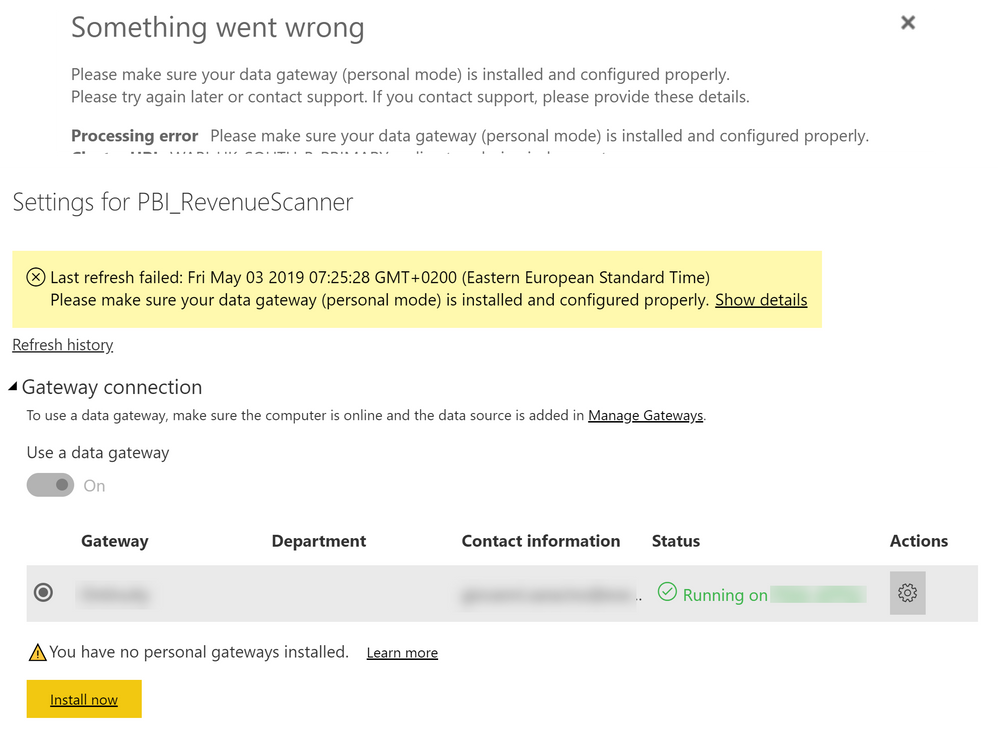
 

Snag_4b98a36.png


1 ACCEPTED SOLUTION
Michiel
Resolver III
Resolver III

You should be able to combine on-premises and cloud data sources through the gateway. See this article for a detailed explanation: https://docs.microsoft.com/en-us/power-bi/service-gateway-mashup-on-premises-cloud.

View solution in original post

2 REPLIES 2
Michiel
Resolver III
Resolver III

You should be able to combine on-premises and cloud data sources through the gateway. See this article for a detailed explanation: https://docs.microsoft.com/en-us/power-bi/service-gateway-mashup-on-premises-cloud.

@Michiel that was the solution, thank you.


I had to install the gateway on my PC, in personal mode. Am I obliged to keep it running at all times now?

That is exactly what I am trying to keep away from.

Helpful resources

Announcements
Fabric Data Days is here Carousel

Fabric Data Days 2026

Don't miss out on Data Days, June 15 through August 7. Learn Fabric, Power BI, SQL, AI and more.

May Power BI Update Carousel

Power BI Monthly Update - May 2026

Check out the May 2026 Power BI update to learn about new features.

Power BI DataViz World Championships carousel

Power BI DataViz World Championships - June 2026

A new Power BI DataViz World Championship is coming this June! Don't miss out on submitting your entry.