Don't miss your chance to take the Fabric Data Engineer (DP-700) exam on us!
Learn moreWe've captured the moments from FabCon & SQLCon that everyone is talking about, and we are bringing them to the community, live and on-demand. Starts on April 14th. Register now
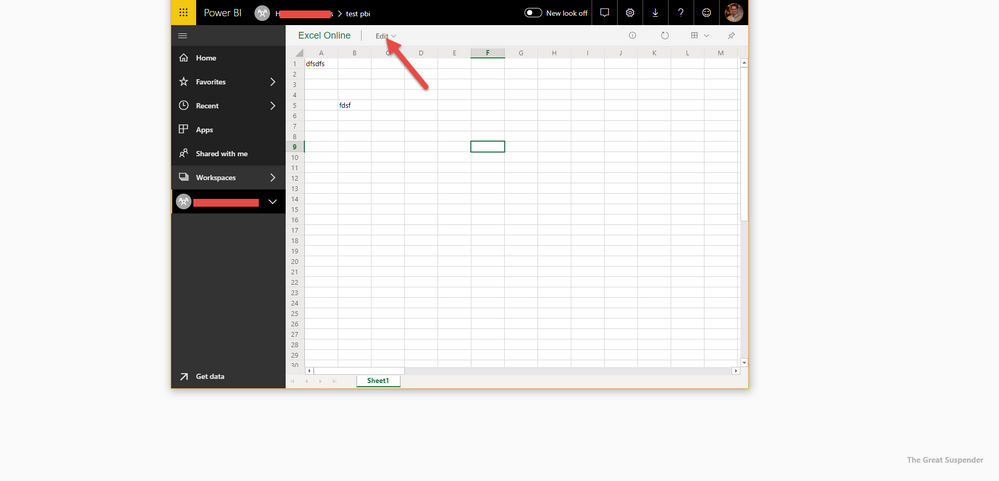
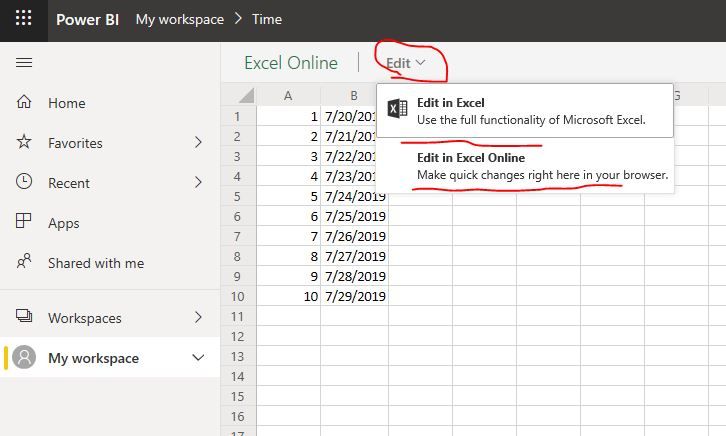
I've published a basic Excel to a Power BI Workspace and now I am trying to re-export it, but I cannot figure out a way to do so. Please note that the Edit button is greyed out/ not available.
Any idea why this is happening? Is it an issue?
Thanks!
Solved! Go to Solution.
hi, @bpasol
If the excel is stored in Onedrive or sharepoint and then you connect it and uploaded it in power bi, you could edit it.
Best Regards,
Lin
hi, @bpasol
If the excel is stored in Onedrive or sharepoint and then you connect it and uploaded it in power bi, you could edit it.
Best Regards,
Lin
Hi @GilbertQ ,
That could be the case, but what confuses me is that Edit option. Feels like I'm missing something.
If you have recently started exploring Fabric, we'd love to hear how it's going. Your feedback can help with product improvements.
A new Power BI DataViz World Championship is coming this June! Don't miss out on submitting your entry.
Share feedback directly with Fabric product managers, participate in targeted research studies and influence the Fabric roadmap.
| User | Count |
|---|---|
| 29 | |
| 23 | |
| 17 | |
| 15 | |
| 14 |