Join us at FabCon Atlanta from March 16 - 20, 2026, for the ultimate Fabric, Power BI, AI and SQL community-led event. Save $200 with code FABCOMM.
Register now!Learn from the best! Meet the four finalists headed to the FINALS of the Power BI Dataviz World Championships! Register now
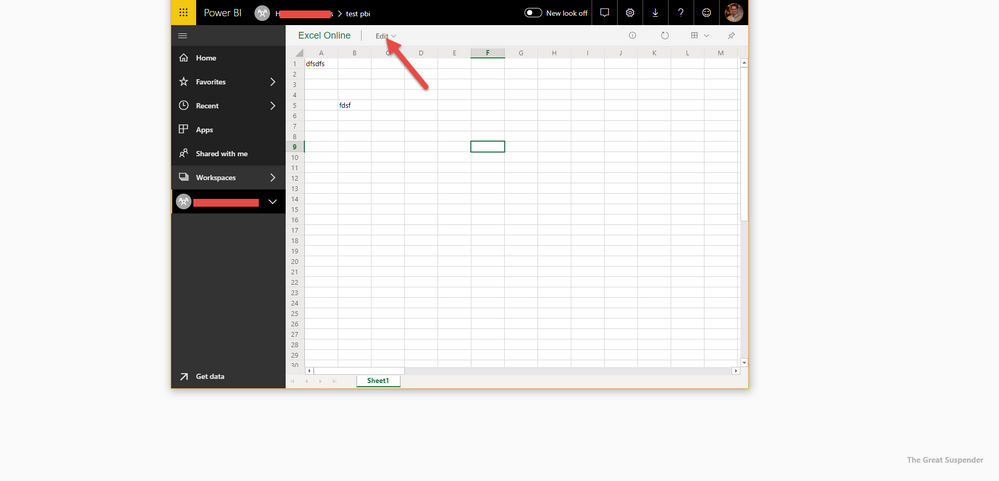
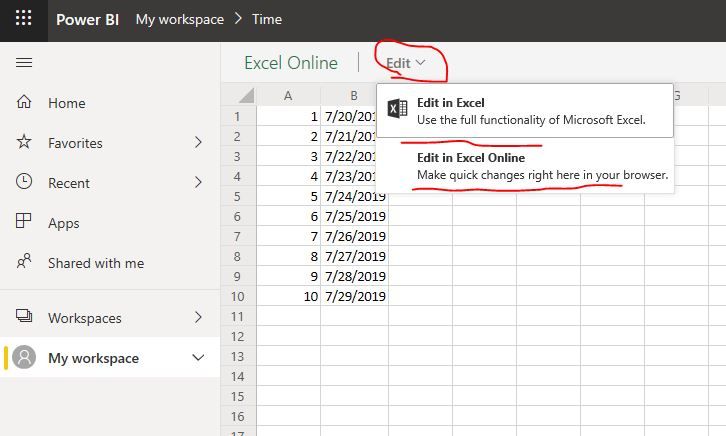
I've published a basic Excel to a Power BI Workspace and now I am trying to re-export it, but I cannot figure out a way to do so. Please note that the Edit button is greyed out/ not available.
Any idea why this is happening? Is it an issue?
Thanks!
Solved! Go to Solution.
hi, @bpasol
If the excel is stored in Onedrive or sharepoint and then you connect it and uploaded it in power bi, you could edit it.
Best Regards,
Lin
hi, @bpasol
If the excel is stored in Onedrive or sharepoint and then you connect it and uploaded it in power bi, you could edit it.
Best Regards,
Lin
Hi @GilbertQ ,
That could be the case, but what confuses me is that Edit option. Feels like I'm missing something.
Share feedback directly with Fabric product managers, participate in targeted research studies and influence the Fabric roadmap.
Check out the February 2026 Power BI update to learn about new features.