cancel
Showing results for 
Search instead for 
Did you mean: 

The Power BI Data Visualization World Championships is back! Get ahead of the game and start preparing now! Learn more

Reply
hectormolinero
Frequent Visitor

Error when embedding a report with a DirectQuery connection to a Power BI dataset

Hi all,


I'm trying to use Power BI Embedded to embed a report containing a DirectQuery connection to a Power BI dataset and I get the following error when viewing the report:
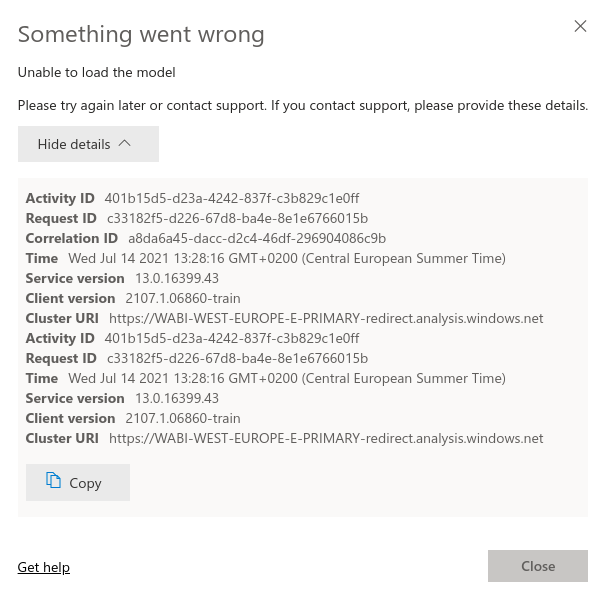
 

powerbi_error.png


The lineage view is the following:


powerbi_lineage.png


I'm obtaining the embedded token by sending the following JSON to the GenerateToken endpoint:


{
  "datasets": [
    { "id": "XXXXXXXX-0000-0000-0000-000000000000" },
    { "id": "YYYYYYYY-0000-0000-0000-000000000000" }
  ],
  "reports": [
    { "id": "ZZZZZZZZ-0000-0000-0000-000000000000", "allowEdit": false }
  ],
  "identities": [
    {
      "datasets": ["XXXXXXXX-0000-0000-0000-000000000000"],
      "username": "example",
      "roles": ["example"]
    }
  ]
}


After some research I've found that using Power BI Embedded with datasets that include a DirectQuery connection to a Power BI dataset or Azure Analysis Services model is not currently supported.


I would like to know if this is indeed the problem I'm experiencing and if so, if and when this feature is planned to be added.


Best regards,

Héctor.

1 ACCEPTED SOLUTION
v-easonf-msft
Community Support
Community Support

Hi, @hectormolinero 

As of now, using Power BI Embedded with datasets that include a DirectQuery connection to a Power BI datasets or Azure Analysis Services model is not yet supported.  PowerBI team plan to support this as soon as possible and not sure about the ETA. You can refer to  2021 release wave 1 plan .


The functionality "DirectQuery for PBI datasets and AS" is currently in preview. If you have any other questions about the Preview feature , feel free to leave feedback at this Power BI Community forum post .


You can also  subscribe to the Power BI Blog. PowerBI team will mention it in the monthly blog and update the dedicated blog and docs as well.


Best Regards,
Community Support Team _ Eason


View solution in original post

2 REPLIES 2
v-easonf-msft
Community Support
Community Support

Hi, @hectormolinero 

As of now, using Power BI Embedded with datasets that include a DirectQuery connection to a Power BI datasets or Azure Analysis Services model is not yet supported.  PowerBI team plan to support this as soon as possible and not sure about the ETA. You can refer to  2021 release wave 1 plan .


The functionality "DirectQuery for PBI datasets and AS" is currently in preview. If you have any other questions about the Preview feature , feel free to leave feedback at this Power BI Community forum post .


You can also  subscribe to the Power BI Blog. PowerBI team will mention it in the monthly blog and update the dedicated blog and docs as well.


Best Regards,
Community Support Team _ Eason


@v-easonf-msft, does this limitation also apply in cases where the embedding is happening using Power BI Premium with a P1 SKU?!

Helpful resources

Announcements
Power BI DataViz World Championships

Power BI Dataviz World Championships

The Power BI Data Visualization World Championships is back! Get ahead of the game and start preparing now!

December 2025 Power BI Update Carousel

Power BI Monthly Update - December 2025

Check out the December 2025 Power BI Holiday Recap!

FabCon Atlanta 2026 carousel

FabCon Atlanta 2026

Join us at FabCon Atlanta, March 16-20, for the ultimate Fabric, Power BI, AI and SQL community-led event. Save $200 with code FABCOMM.
