cancel
Showing results for 
Search instead for 
Did you mean: 

Learn from the best! Meet the four finalists headed to the FINALS of the Power BI Dataviz World Championships! Register now

Reply
cjacob
Frequent Visitor

Embed code permissions

Hi,


I have managed to generate an embed code for one report i was working on (and I can still create new ones when in this report). However when I try to do this in any other report I am told that i need to contact my admin to enable embed code creation. As far as I know there is no one else in my company using PowerBI and so I do not know if there is an admin to contact or how to fix this?


Thanks

1 ACCEPTED SOLUTION
v-xuding-msft
Community Support
Community Support

Hi @cjacob ,

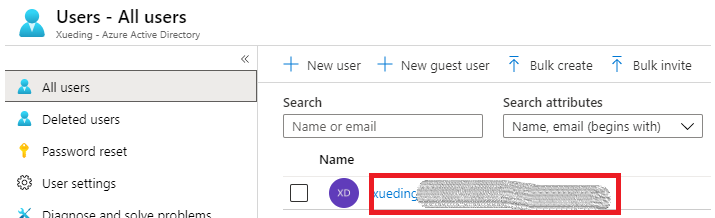
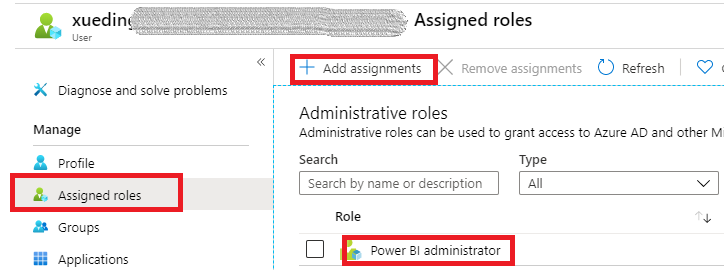
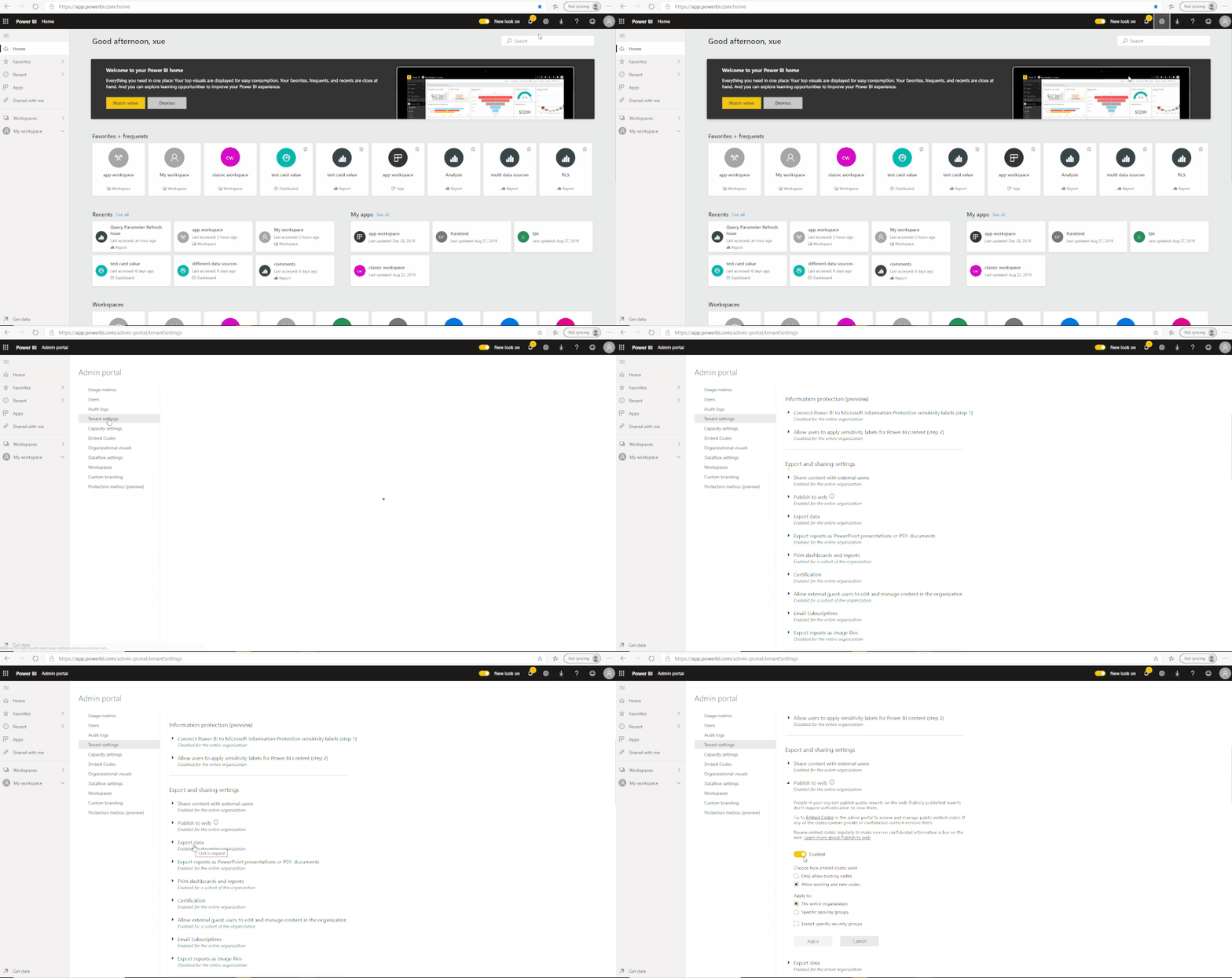
For your situation, I guess you are just a free user or a pro user without admin. You could register in Azure (https://portal.azure.com/#home) to assign yourself to a admin role. And then you can see Admin Portal in Power BI and enable settings.


Please follow the steps to assign a administrator.

2.gif2.PNG3.PNG

3.gif

Best Regards,

Xue Ding

If this post helps, then please consider Accept it as the solution to help the other members find it more quickly.

Best Regards,
Xue Ding
If this post helps, then please consider Accept it as the solution to help the other members find it more quickly.

View solution in original post

2 REPLIES 2
v-xuding-msft
Community Support
Community Support

Hi @cjacob ,

For your situation, I guess you are just a free user or a pro user without admin. You could register in Azure (https://portal.azure.com/#home) to assign yourself to a admin role. And then you can see Admin Portal in Power BI and enable settings.


Please follow the steps to assign a administrator.

2.gif2.PNG3.PNG

3.gif

Best Regards,

Xue Ding

If this post helps, then please consider Accept it as the solution to help the other members find it more quickly.

Best Regards,
Xue Ding
If this post helps, then please consider Accept it as the solution to help the other members find it more quickly.
bfernandez
Resolver II
Resolver II

Hi @cjacob 


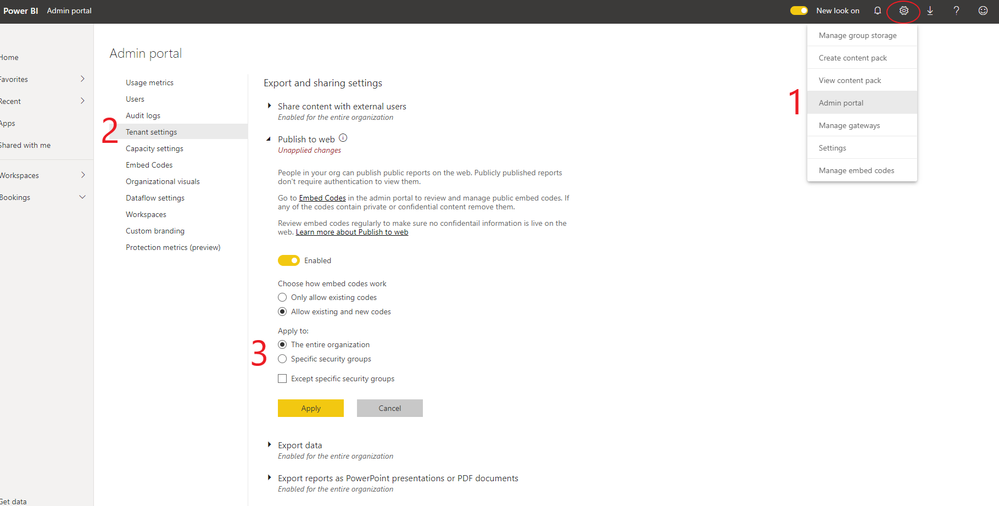
This can happen when you have Only allow existing codes selectedunder the Publish to web settings.


Admin portal.png


If this post has helped you, please give it a thumbs up!
Did I answer your question? Mark my post as a solution!


- If you need further assistance, @ me on the reply -


Helpful resources

Announcements
Power BI DataViz World Championships carousel

Power BI DataViz World Championships - June 2026

A new Power BI DataViz World Championship is coming this June! Don't miss out on submitting your entry.

Join our Fabric User Panel

Join our Fabric User Panel

Share feedback directly with Fabric product managers, participate in targeted research studies and influence the Fabric roadmap.

March Power BI Update Carousel

Power BI Community Update - March 2026

Check out the March 2026 Power BI update to learn about new features.

Top Kudoed Authors