Hi,
Can any one help to modify my code give below. I used this following Web.Content code to get data. It works fine on desktop, but it will not allow me to update data in Service – I get the error message that dynamic data sources can’t be refreshed.
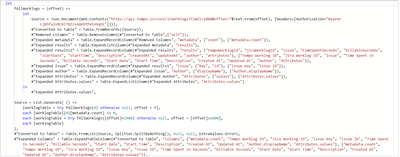
Code:-
let
fAllWorklogs = (offset) =>
let
Source = Json.Document(Web.Contents("https://api.tempo.io/core/3/worklogs?limit=1000&offset="&Text.From(offset), [Headers=[Authorization="Bearer xcvefmbsjlfgfwhjkjbdlmn"]])),
#"Converted to Table" = Table.FromRecords({Source}),
#"Removed Columns" = Table.RemoveColumns(#"Converted to Table",{"self"}),
#"Expanded metadata" = Table.ExpandRecordColumn(#"Removed Columns", "metadata", {"count"}, {"metadata.count"}),
#"Expanded results" = Table.ExpandListColumn(#"Expanded metadata", "results"),
#"Expanded results1" = Table.ExpandRecordColumn(#"Expanded results", "results", {"tempoWorklogId", "jiraWorklogId", "issue", "timeSpentSeconds", "billableSeconds", "startDate", "startTime", "description", "createdAt", "updatedAt", "author", "attributes"}, {"Tempo Worklog ID", "Jira Worklog ID", "Issue", "Time Spent In Seconds", "Billable Seconds", "Start Date", "Start Time", "Description", "Created At", "Updated At", "Author", "Attributes"}),
#"Expanded Issue" = Table.ExpandRecordColumn(#"Expanded results1", "Issue", {"key", "id"}, {"Issue Key", "Issue ID"}),
#"Expanded Author" = Table.ExpandRecordColumn(#"Expanded Issue", "Author", {"displayName"}, {"Author.displayName"}),
#"Expanded Attributes" = Table.ExpandRecordColumn(#"Expanded Author", "Attributes", {"values"}, {"Attributes.values"}),
#"Expanded Attributes.values" = Table.ExpandListColumn(#"Expanded Attributes", "Attributes.values")
in
#"Expanded Attributes.values",
Source = List.Generate( () =>
[worklogTable = try fAllWorklogs(0) otherwise null, offset = 0],
each [worklogTable]{0}[metadata.count] <> 0,
each [worklogTable = try fAllWorklogs([offset]+1000) otherwise null, offset = [offset]+1000],
each [worklogTable]
),
#"Converted to Table" = Table.FromList(Source, Splitter.SplitByNothing(), null, null, ExtraValues.Error),
#"Expanded Column1" = Table.ExpandTableColumn(#"Converted to Table", "Column1", {"metadata.count", "Tempo Worklog ID", "Jira Worklog ID", "Issue Key", "Issue ID", "Time Spent In Seconds", "Billable Seconds", "Start Date", "Start Time", "Description", "Created At", "Updated At", "Author.displayName", "Attributes.values"}, {"metadata.count", "Tempo Worklog ID", "Jira Worklog ID", "Issue Key", "Issue ID", "Time Spent In Seconds", "Billable Seconds", "Start Date", "Start Time", "Description", "Created At", "Updated At", "Author.displayName", "Attributes.values"}),
#"Inserted Division" = Table.AddColumn(#"Expanded Column1", "Division", each [Time Spent In Seconds] / 3600, type number),
#"Rounded Off" = Table.TransformColumns(#"Inserted Division",{{"Division", each Number.Round(_, 2), type number}}),
#"Renamed Columns" = Table.RenameColumns(#"Rounded Off",{{"Division", "Hours"}}),
#"Changed Type" = Table.TransformColumnTypes(#"Renamed Columns",{{"metadata.count", Int64.Type}, {"Tempo Worklog ID", Int64.Type}, {"Jira Worklog ID", Int64.Type}, {"Issue Key", type text}, {"Issue ID", Int64.Type}, {"Time Spent In Seconds", Int64.Type}, {"Billable Seconds", Int64.Type}, {"Start Date", type date}, {"Start Time", type time}, {"Description", type text}, {"Created At", type datetime}, {"Updated At", type datetime}, {"Author.displayName", type text}, {"Attributes.values", type any}, {"Hours", type number}})
in
#"Changed Type"


