This is best Fabric, Power BI, SQL and AI community event. How do we know? The last event sold out! Save €200 with code FABCMTY200.
Register nowA new Data Days event is coming soon! This time we’re going bigger than ever. Fabric, Power BI, SQL, AI and more. Don't miss out.
Hello,
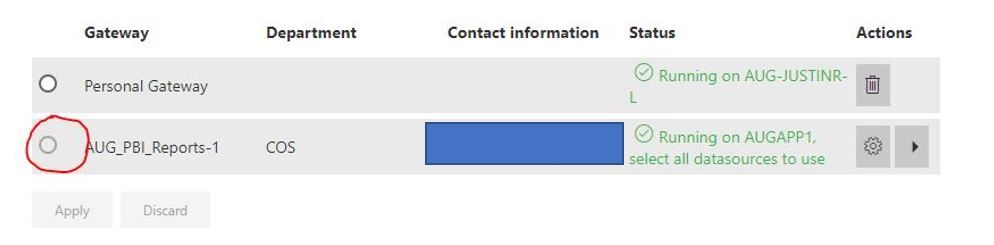
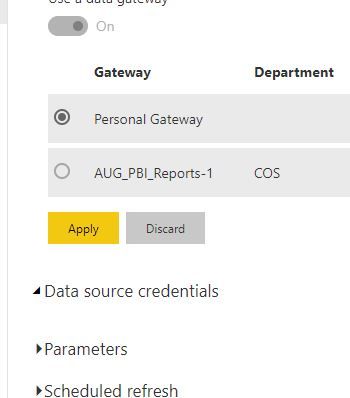
I've used gateways for all of my reports and dashboards in the past. I'm attempting my fist Direct Query report and I'm having trouble setting up the gateway. The radio button is greyed out and I dont know why (see picture).
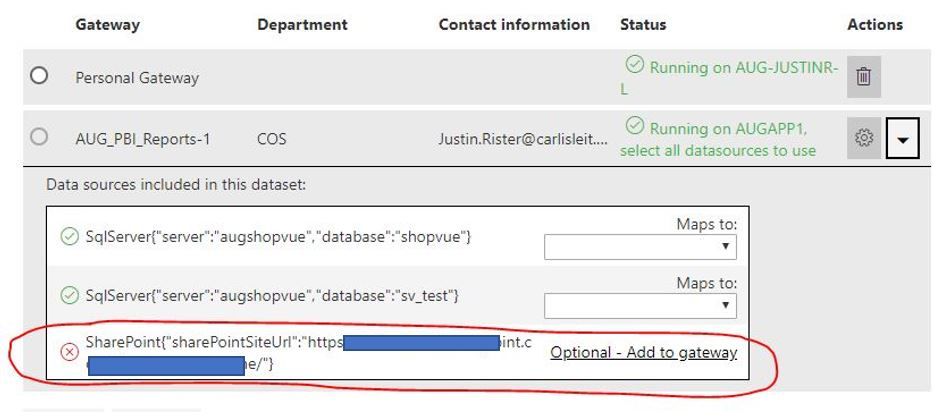
So I choose the dropdown to look at the datasources and I see the red x on the Sharepoint data source. Does this have to be apart of the gateway also? With other reports I didn't have to make it a part of the gateway since it is on Sharepoint.
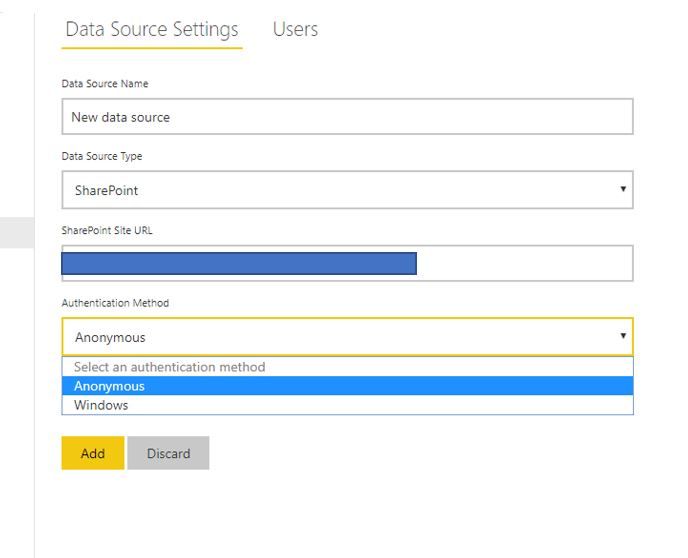
If I do have to add it, how can I do that? I don't see an option in the credential configuration for oauth, I only see Anonymous and Windows.
UPDATE:
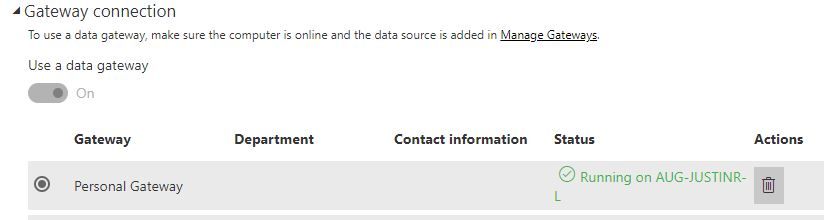
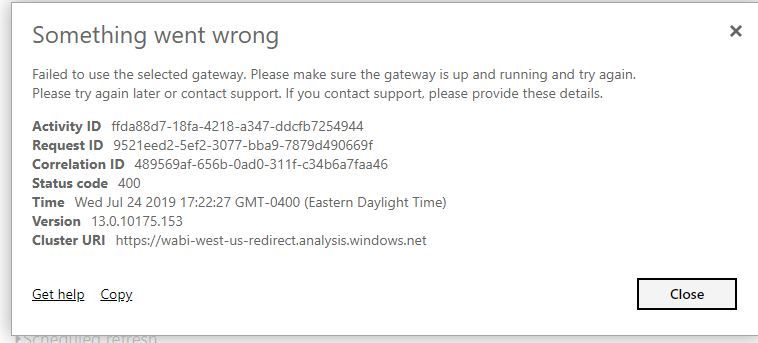
Now when I try to use my Personal Gateway (my PC) I'm getting this error (how is this possible, frustrating):
New UPDATE:
I can't even see my Data source credentials
![]()
Solved! Go to Solution.
Hi @Justair07 ,
I have seen a similar problem before, actually, the online sharepoint doesn't require a gateway, I would suggest you opening a ticket at https://powerbi.microsoft.com/en-us/support/
Best Regards,
Teige
@Justair07 @TeigeGao is there an explantion on this issue yet? I am currently experiencing the same problem with my SharePoint data source
@Anonymous I'm just excluding the Sharpoint sources from my gateway and everything seems to be fine now. Not really a fix but a workaround.
@Justair07 i appreciate the quick response. Might not be able to leverage that in my scenario but definitely good to know. Thanks again!
@Justair07 i was able to use the same approach. I was unaware SP online list auto-referesh every hour or so. Tested and see new data coming in. I appreciate it!
@Anonymous glad to hear!
Hi @Justair07 ,
I have seen a similar problem before, actually, the online sharepoint doesn't require a gateway, I would suggest you opening a ticket at https://powerbi.microsoft.com/en-us/support/
Best Regards,
Teige
Check out the May 2026 Power BI update to learn about new features.
Sign up to receive a private message when registration opens and key events begin.
If you have recently started exploring Fabric, we'd love to hear how it's going. Your feedback can help with product improvements.
| User | Count |
|---|---|
| 11 | |
| 8 | |
| 8 | |
| 6 | |
| 6 |
| User | Count |
|---|---|
| 24 | |
| 24 | |
| 23 | |
| 19 | |
| 16 |