Join us at FabCon Atlanta from March 16 - 20, 2026, for the ultimate Fabric, Power BI, AI and SQL community-led event. Save $200 with code FABCOMM.
Register now!Vote for your favorite vizzies from the Power BI Dataviz World Championship submissions. Vote now!
Hi All
I was just wondering if it's possible to refresh a dataset that has both a salesforce connection and an on-prem SQL Source. I've seen a lot of posts where I think it says the only way to do this is to have a personal gateway.
Is this still the case? I have connection set up in the gateway for salesforce that is available and works if I just have a report with just a salesforce connection. But when I add the on-prem connection into the report published from the desktop, it says my credentials are invalid
Thanks
Cathryn
Solved! Go to Solution.
@Cathryn Still accurate. The personal gateway is the only gateway that allows the "mix" of on premises and online. The OPD gateway still doesn't support this.
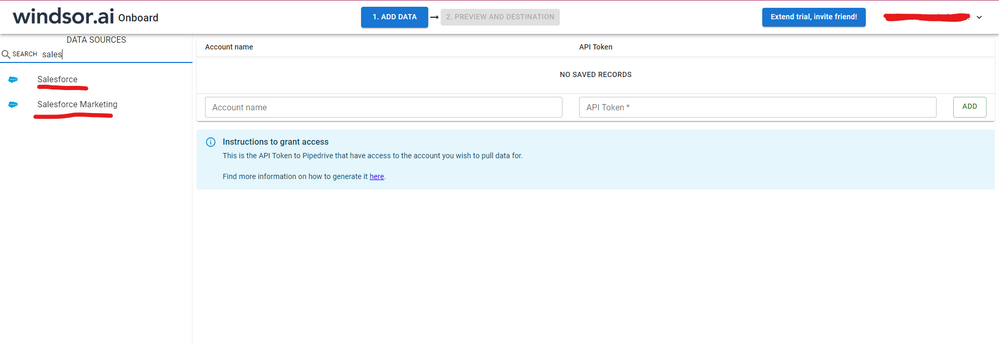
Hi @Cathryn were you able to find a solution? As a workaround, maybe you can try to test your connection with a 3rd party connector, which does not require the use of a gateway to refresh. I've tried windsor.ai, supermetrics and funnel.io. I stayed with windsor because it is much cheaper so just to let you know other options. In case you wonder, to make the connection first search for the Salesforce connector in the data sources list:
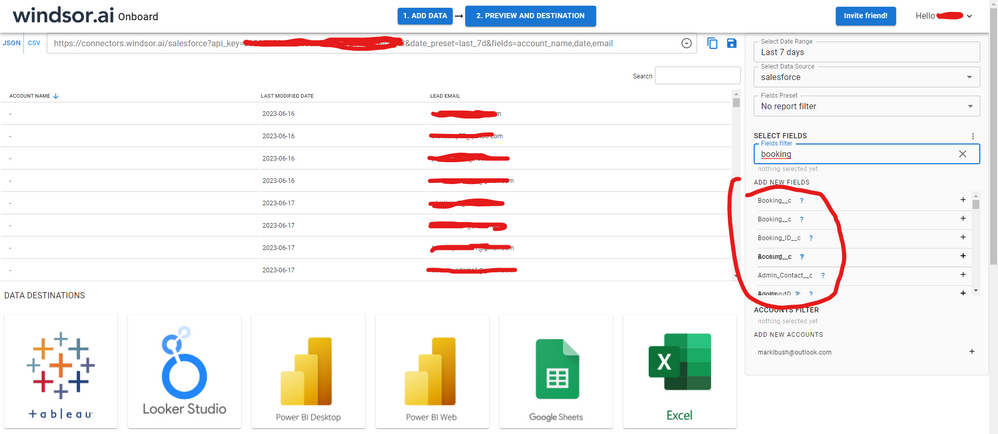
After that, just grant access to your Salesforce account using your credentials, then on preview and destination page you will see a preview of your Salesforce fields:
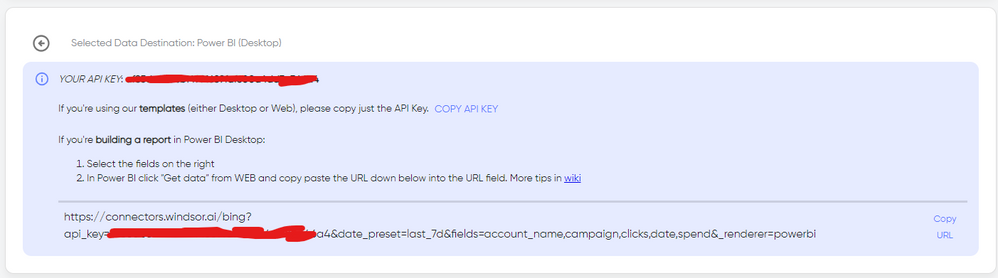
There just select the fields you need. It is also compatible with custom fields and custom objects, so you'll be able to export them through windsor. Finally, just select PBI as your data destination and finally just copy and paste the url on PBI --> Get Data --> Web --> Paste the url.
@Cathryn Still accurate. The personal gateway is the only gateway that allows the "mix" of on premises and online. The OPD gateway still doesn't support this.
Vote for your favorite vizzies from the Power BI World Championship submissions!
If you love stickers, then you will definitely want to check out our Community Sticker Challenge!
Check out the January 2026 Power BI update to learn about new features.
| User | Count |
|---|---|
| 47 | |
| 40 | |
| 39 | |
| 25 | |
| 24 |