Join us at FabCon Atlanta from March 16 - 20, 2026, for the ultimate Fabric, Power BI, AI and SQL community-led event. Save $200 with code FABCOMM.
Register now!The Power BI Data Visualization World Championships is back! Get ahead of the game and start preparing now! Learn more
My datasets are not refreshing. There aren't any errors showing but the datasets do not refresh. It is CRITICAL that I have current information on my reports. Any idea how to fix this?
Hi @Christine218,
What is the data source? How did you connect to it? And how did you set scheduled refresh for it? Besides, test whether the displayed data is updated if clicking refresh button manually.
Regards,
Yuliana Gu
The data source is an Excel workbook housed on a Sharepoint site. I didn't set the schedule refresh. Those "unprocesed" refreshes are from me hitting the manual refresh after I realized that it wasn't updating.
Hi @Christine218,
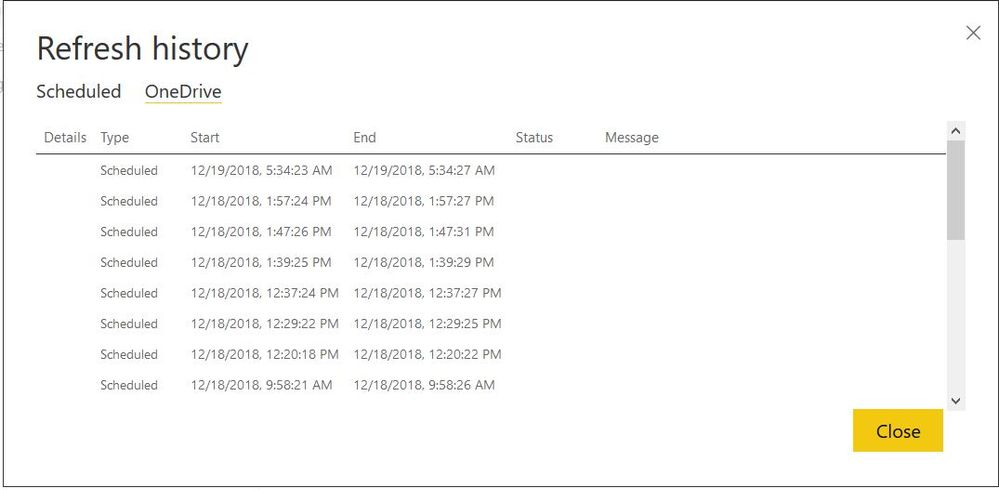
From the "Refresh History", I noticed that the refresh type was "Scheduled". Please check again whether you configured scheduled refresh for this dataset.
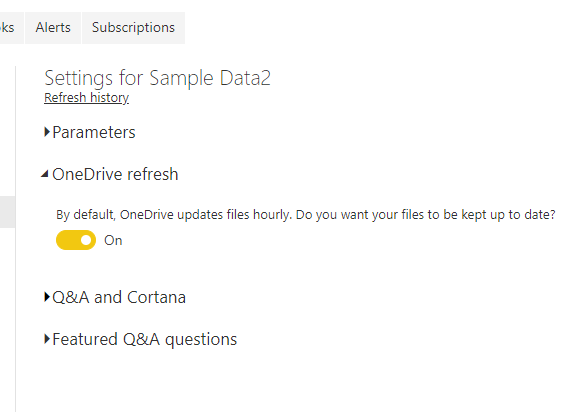
Besides, please turn off the "One Drive refresh" option for a test.
Best regards,
Yuliana Gu
I already did that and tried the refresh. It still didn't update. But I want it to autorefresh from OneDrive and it isn't. I need to rely on current data. How do I fix this??
The Power BI Data Visualization World Championships is back! Get ahead of the game and start preparing now!