cancel
Showing results for 
Search instead for 
Did you mean: 

Learn from the best! Meet the four finalists headed to the FINALS of the Power BI Dataviz World Championships! Register now

Reply
Matan
Frequent Visitor

Copy/Paste Query Code from PowerBI Desktop UI to Dataflow Error

Hi,


I'm following Miguel Escobar "Combine or Append Data: Optimal Combination Pattern" , Source files and blog in the link  - https://www.poweredsolutions.co/2019/04/30/combine-or-append-data-optimal-combination-pattern/

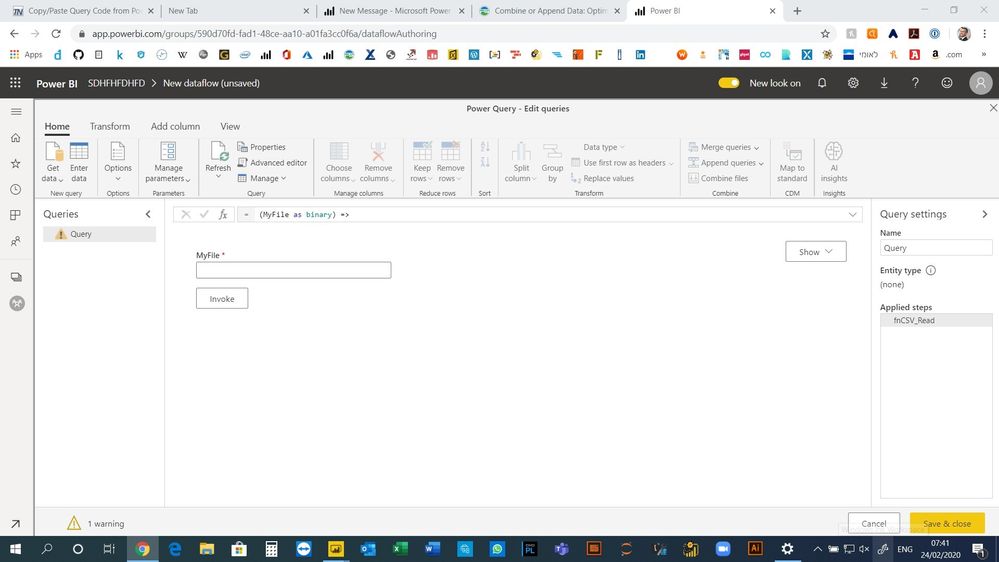
Everything works fine when using the code in the PowerBI Desktop, but when trying to copy/paste the code to new dataflow entity I'm getting error.


Code:


let
fnCSV_Read = (MyFile as binary) => 
Table.PromoteHeaders(Csv.Document(MyFile, [Delimiter=",", Columns=4, Encoding=1255, QuoteStyle=QuoteStyle.None]))
in
let
    Source = Folder.Files("C:\Users\Matan\Desktop\Sales"),
    #"Removed Other Columns" = Table.SelectColumns(Source,{"Content"}),
    Content = List.Transform(#"Removed Other Columns"[Content],Binary.Buffer),
    Custom1 = List.Transform(Content,fnCSV_Read),
    Custom2 = Table.Combine(Custom1)
in
    Custom2


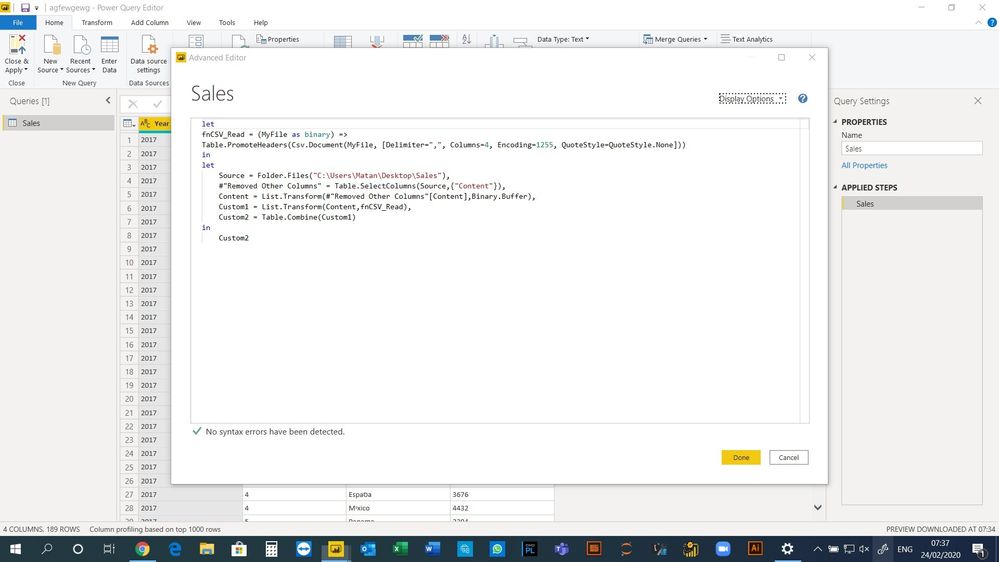
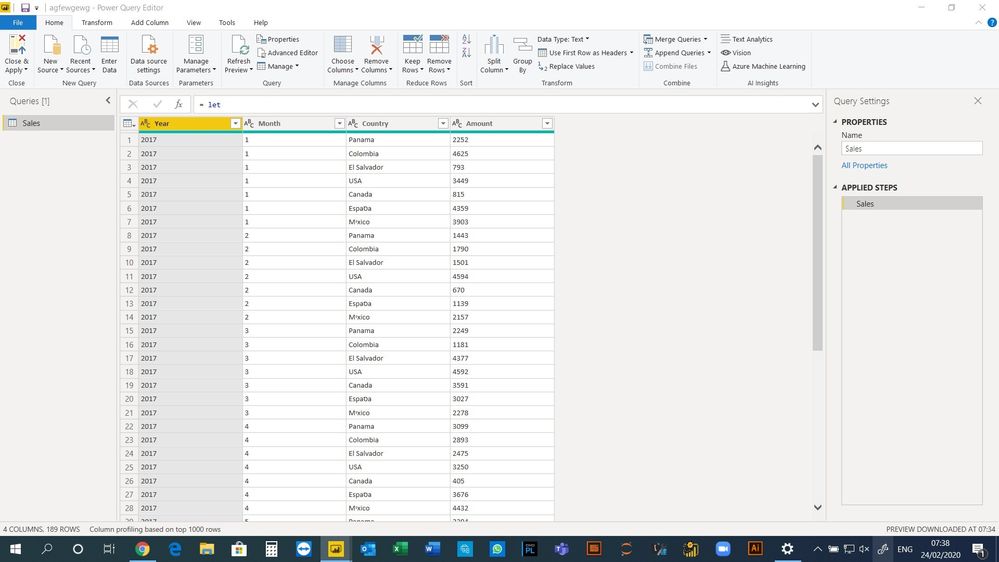
Power BI Desktop Screenshot:

SharedScreenshot.jpgSharedScreenshot.jpg


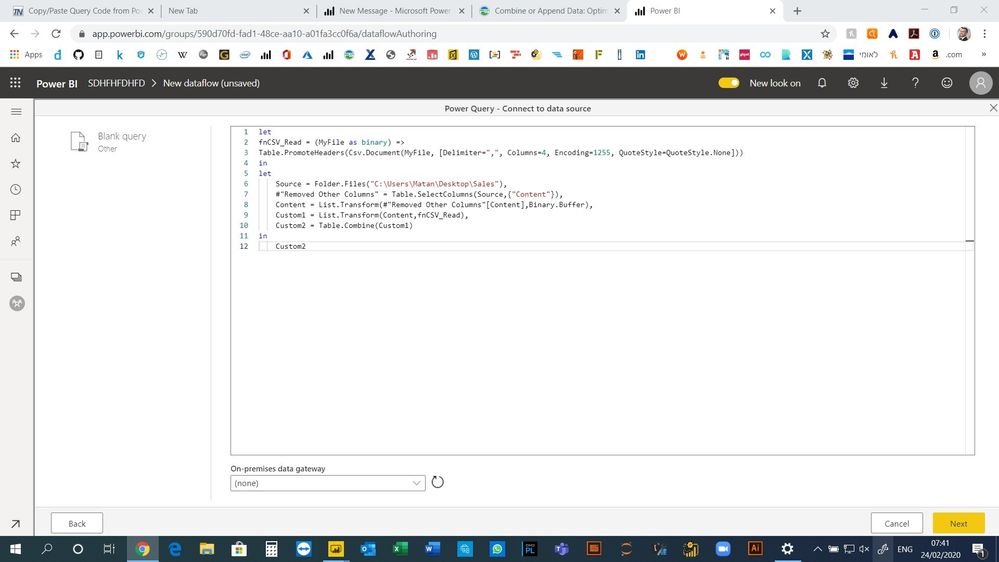
Power BI Servic Screenshot:

SharedScreenshot.jpgSharedScreenshot.jpg

2 REPLIES 2
v-eachen-msft
Community Support
Community Support

Hi @Matan ,


Your folder is on premises, you need to add it in your gateway.

And you could split your codes as two parts: query and invoke function.


Community Support Team _ Eads
If this post helps, then please consider Accept it as the solution to help the other members find it.

Hi @v-eachen-msft ,


My folder is already configured in the getway.

The problem is indeed with the code syntax which work well in the desktop version and fails to do so in the service unless I split the code. There is any vision to make it work in the near future?


Regards,

Matan Baruch

Helpful resources

Announcements
Power BI DataViz World Championships carousel

Power BI DataViz World Championships - June 2026

A new Power BI DataViz World Championship is coming this June! Don't miss out on submitting your entry.

Join our Fabric User Panel

Join our Fabric User Panel

Share feedback directly with Fabric product managers, participate in targeted research studies and influence the Fabric roadmap.

March Power BI Update Carousel

Power BI Community Update - March 2026

Check out the March 2026 Power BI update to learn about new features.

Top Kudoed Authors