Get certified for free when you join Fabric Data Days 2026 and dive into Fabric, Power BI, SQL, AI, and other essential data skills.
Join nowData Days is here! Join us now for 60+ days of learning, challenges, and connection. Learn more
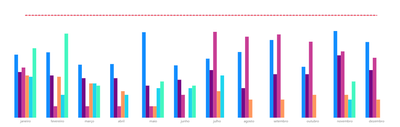
I created a bar chart with a limit line, but each bar is from a different base that I did the data modeling.
I am not finding the option to make a conditional color that if it is greater than the boundary line turns red, if it is less than the boundary line turns green.
can you help me ?
You do not have the option of conditional formatting in colors.
Solved! Go to Solution.
Hey @Anonymous ,
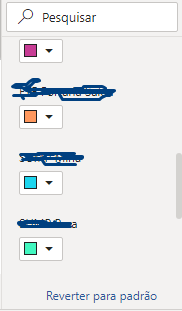
this is simply not possible, as Power BI does not allow to change the fill color if the color is used for identifying the single "member" inside a cluster. The fill color will be automatically applied to the members inside a cluster, based on the color in the legend (the single member). It's not possible to overwrite the fill color using conditional formatting.
Maybe, you will create an idea on ideas.powerbi.com
Regards,
Tom
Hi,
If the above post helps, could you please consider Accept it as the solution to help the other members find it more quickly. thanks!
Hey @Anonymous ,
this is simply not possible, as Power BI does not allow to change the fill color if the color is used for identifying the single "member" inside a cluster. The fill color will be automatically applied to the members inside a cluster, based on the color in the legend (the single member). It's not possible to overwrite the fill color using conditional formatting.
Maybe, you will create an idea on ideas.powerbi.com
Regards,
Tom
Don't miss out on Data Days, June 15 through August 7. Learn Fabric, Power BI, SQL, AI and more.
Check out the May 2026 Power BI update to learn about new features.
| User | Count |
|---|---|
| 16 | |
| 10 | |
| 10 | |
| 8 | |
| 7 |
| User | Count |
|---|---|
| 40 | |
| 36 | |
| 34 | |
| 28 | |
| 20 |