Get certified for free when you join Fabric Data Days 2026 and dive into Fabric, Power BI, SQL, AI, and other essential data skills.
Join nowTry your skills in the Power BI Dataviz World Championship! Round one ends June 26. Join now
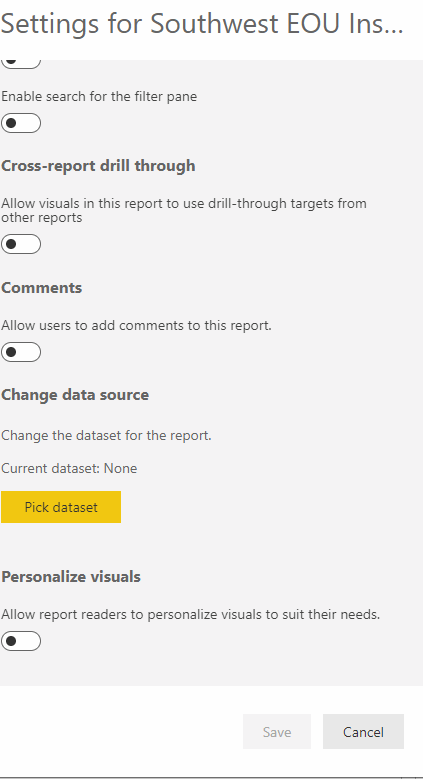
I realize this isn't suppose to be possible, however I have been promped with the below numerous times, I cannot figure out why or why not this does not come up under settings?
Hi @lreese68 ,
Sorry, I could not even find "Change data source" option. Could you share with me that you said in previous post?
Best Regards,
Eyelyn Qin
I'm looking to change the Datasource in a Power BI Report, not necessarily the Dataset.
Hi @lreese68 ,
To my knowledge, changing dataset of a report is not possible through service. Only way is to use pbix file in power bi desktop change source and then re-publish.
Best Regards,
Eyelyn Qin
If this post helps, then please consider Accept it as the solution to help the other members find it more quickly.
I have heard that as well, but I can prove that's not true.
Hi @lreese68
This is not possible via the report settings, but you can do this via parameters
Please see my blog post below to see if this helps
| User | Count |
|---|---|
| 17 | |
| 11 | |
| 11 | |
| 8 | |
| 7 |
| User | Count |
|---|---|
| 40 | |
| 35 | |
| 35 | |
| 34 | |
| 20 |