Join us at FabCon Atlanta from March 16 - 20, 2026, for the ultimate Fabric, Power BI, AI and SQL community-led event. Save $200 with code FABCOMM.
Register now!Get Fabric Certified for FREE during Fabric Data Days. Don't miss your chance! Request now
Hi
I want to export the data from one of the visual in a specific order of the columns if i use summerize data.
i have tried to reorder the same at power query editor and republished the same. but the order of the columns are not as required when i use summerize data export.
another option i have tried is reorder the column at DB level and i called that table and created a visual and published the same. still the order is coming some default only.
any suggestion or workaround on the same?
Proud to be a Super User! | |
Hi. I think the only work around here is to create a visualization "table" in power bi with the columns in the order you want. Then export that table. I don't think you will be able to do it from a visualization that is not a table, maybe a matrix.
Also feel free to post your idea in power bi to let the team know that this is not available: https://ideas.powerbi.com/forums/265200-power-bi-ideas
Regards,
Happy to help!
I am using barchart visual to export summarize data. there i am getting default order.
I have tried to change the column order at sql server level and even at power query too.
still the bar chart after export getting some default export only.
any possibility to get in specific order ?
Proud to be a Super User! | |
Hi @rajendraongole1 ,
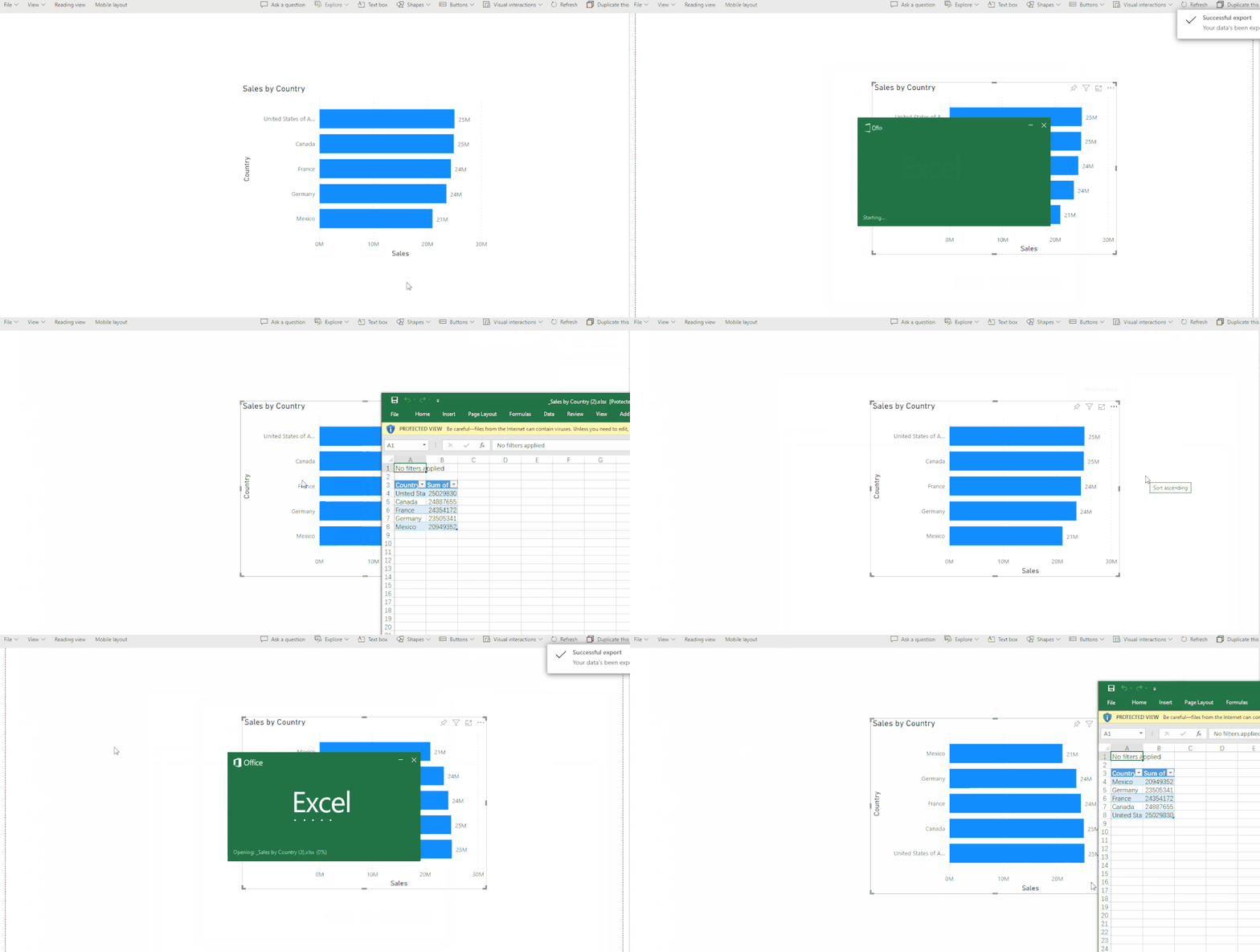
I create a simple sample to try. However, it works fine. After sorting in Query Editor, do you check if it sorts correctly in data view and in the visual?
For summarized data, bar visual as we have only two fields it is coming fine after sorting the columns but
the same way i want to export underlying dataset with all columns with specific order at backend. here it is getting failed.
the column order is coming in dafault only..
any suggestions.
Note: i have calculated columns too.
Proud to be a Super User! | |
Check out the November 2025 Power BI update to learn about new features.
Advance your Data & AI career with 50 days of live learning, contests, hands-on challenges, study groups & certifications and more!