This time we’re going bigger than ever. Fabric, Power BI, SQL, AI and more. We're covering it all. You won't want to miss it.
Learn moreDid you hear? There's a new SQL AI Developer certification (DP-800). Start preparing now and be one of the first to get certified. Register now
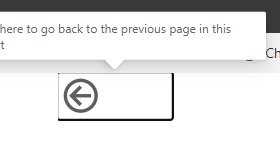
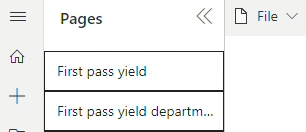
Hey, does someone else is having a problem with marked border visual?
It only appears in service report, with clicking mouse is gone but still it irritates
App doesnt have that kind of problem
Solved! Go to Solution.
Hi @Anonymous ,
This is acknowledged as an issue. We have reported the issue and submitted it to the internal icm platform, No:347527225 . Engineers will do their best to resolve the issue. I will update you here if there is any progress , please be patient.
Best regards,
Community Support Team_ Binbin Yu
No borders at all. There is not borders in my file destkop. Only service view has that problem. The worst thing that mouse clicking solves it but it has to be done every time.
Pages content also shows that problem for milisecunds and it sissappears.
Ticket for support created
Edit: The claim is legit, meaning something is messed up in recent software update
Hi @Anonymous ,
This is acknowledged as an issue. We have reported the issue and submitted it to the internal icm platform, No:347527225 . Engineers will do their best to resolve the issue. I will update you here if there is any progress , please be patient.
Best regards,
Community Support Team_ Binbin Yu
Hi @Anonymous ,
I'm a little confused about your needs, Could you please explain them further?
Please confirm that you don't set the border for this visual.
Best regards,
Community Support Team_ Binbin Yu
If this post helps, then please consider Accept it as the solution to help the other members find it more quickly.
Check out the April 2026 Power BI update to learn about new features.
Sign up to receive a private message when registration opens and key events begin.
If you have recently started exploring Fabric, we'd love to hear how it's going. Your feedback can help with product improvements.
| User | Count |
|---|---|
| 10 | |
| 8 | |
| 7 | |
| 7 | |
| 7 |
| User | Count |
|---|---|
| 49 | |
| 27 | |
| 21 | |
| 20 | |
| 20 |