Share feedback directly with Fabric product managers, participate in targeted research studies and influence the Fabric roadmap.
Sign up nowGet Fabric certified for FREE! Don't miss your chance! Learn more
Hello,
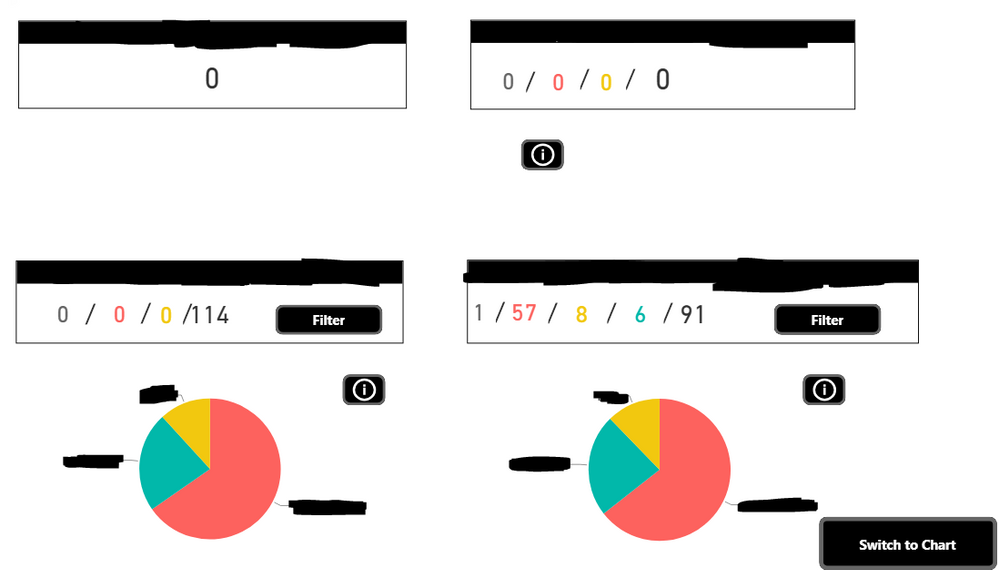
I planned some automatic refresh along the day for my powerBi reports. It succeed, but my data are not refreshed, I get empty results from my data-sources. So the refresh is marked as succeed but it obviously did not, because I get 0 value almost everywhere:
Before refresh:
After the refresh:
I havn't PowerBi gateway installed on my computer but I have seen that is not mandatory to planned automatic refresh. My data are coming from a Sharepoint system and an SQL database of Dynamic AX.
If I use the refresh system of PowerBi software it is working nicely.
Does anybody have a clue on why it is doing this ?
Does anybody faced the same issue ?
Sincerely yours,
Robin.
Hi @sky54000,
Did these refresh operations successes? Can you please provide more detail informations about this?(refresh log, history)
BTW, did you use a on premise version of dynamic AX? If this is a case, you still need to install gateway to handle on premise data source refresh.
Regards,
Xiaoxin Sheng
Hi @Anonymous,
Thank you for your answer. Yes these refresh operations succeed, so I get no errors at all. Because of that, I have no logs or history to provide, it only say succeed. I did not use a on permise version of dynamic AX, in fact I'm connected directly to the database and I encountered no problem with the refresh of this data-source. My problem is only with the data coming from Sharepoint, espacially with those from merged queries. And what is confusing me more, is that a part of those data are refreshed well but another part is like "deleted".
Sincerely yours,
Robin.
Share feedback directly with Fabric product managers, participate in targeted research studies and influence the Fabric roadmap.
| User | Count |
|---|---|
| 19 | |
| 8 | |
| 7 | |
| 7 | |
| 7 |
| User | Count |
|---|---|
| 47 | |
| 44 | |
| 25 | |
| 23 | |
| 23 |