Don't miss your chance to take the Fabric Data Engineer (DP-600) exam for FREE! Find out how by watching the DP-600 session on-demand now through April 28th.
Learn moreJoin the FabCon + SQLCon recap series. Up next: Power BI, Real-Time Intelligence, IQ and AI, and Data Factory take center stage. All sessions are available on-demand after the live show. Register now
Hi,
I have a report that connects to multiple URLs (an API for one of our systems) to bring in various datasets, which I then transform in Power BI. The report works perfectly in desktop, but I'm not sure how to set up a scheduled refresh for all of the URLs in the service.
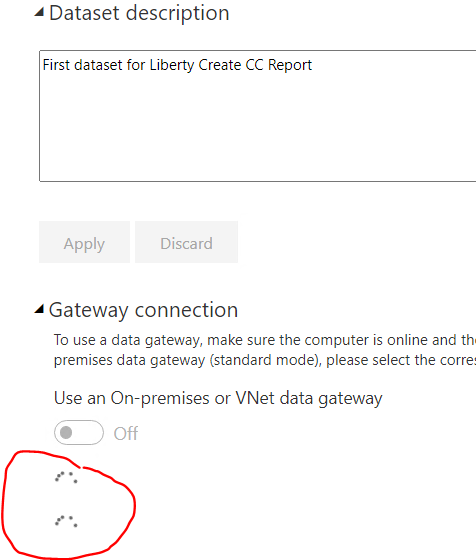
Specifically, when I go to the 'Datasets' tab and click on my report and then click on 'Gateway Connection', I see an endless 'working' icon (i.e. a series of dots going round and round in a circle). Essentially I don't seem to be able to set up any connections, let alone the multiple connections that I need.
Can anyone tell me what might be happening here / how I can set up multiple connections to different URLs for a report in the Power BI service?
Thanks, Gavin
HI Gavin,
If you are using the "Get Data from web" connector to load data from URL's you'll need a Gateway setup to auto-refresh in the service. If you already have a Gateway you'll need to add the URL's to it, one for each data source. It looks like you don't have a Gatway setup and Power BI is hunting for one, which is why you get the endless 'working' icon. You'll need to set up an appropriate Gateway to solve the problem.
Hope this helps
Stuart
Hi Burningsuit,
Thanks for your response and very sorry for the late reply...some time out of the office.
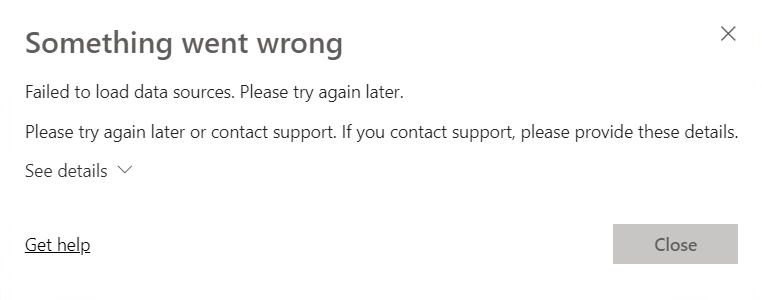
I actually do have a gateway set up (with just a single URL for testing), which is connecting successfully. The problem is that I can't even seem to get as far as trying to select a gateway for the dataset...as soon as I expand the Gateway Connection option, I'm into the 'working' icon, followed by 'Something went wrong' message. Pls see screenshots.
I'm not seeing this issue for other datasets / gateways. Any ideas?
Many thanks.
Many thanks, Gavin
Check out the April 2026 Power BI update to learn about new features.
If you have recently started exploring Fabric, we'd love to hear how it's going. Your feedback can help with product improvements.
A new Power BI DataViz World Championship is coming this June! Don't miss out on submitting your entry.
| User | Count |
|---|---|
| 9 | |
| 9 | |
| 9 | |
| 7 | |
| 7 |
| User | Count |
|---|---|
| 39 | |
| 29 | |
| 26 | |
| 19 | |
| 19 |