cancel
Showing results for 
Search instead for 
Did you mean: 

The Power BI Data Visualization World Championships is back! Get ahead of the game and start preparing now! Learn more

Reply
gav12345
Frequent Visitor

Auto refresh for multiple data sources

Hi,


 I have a report that connects to multiple URLs (an API for one of our systems) to bring in various datasets, which I then transform in Power BI. The report works perfectly in desktop, but I'm not sure how to set up a scheduled refresh for all of the URLs in the service.


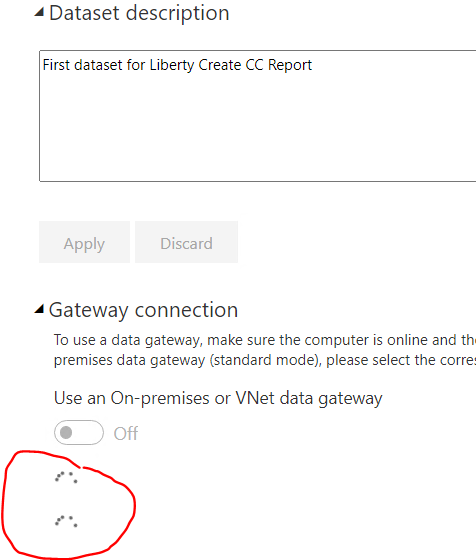
 Specifically, when I go to the 'Datasets' tab and click on my report and then click on 'Gateway Connection', I see an endless 'working' icon (i.e. a series of dots going round and round in a circle). Essentially I don't seem to be able to set up any connections, let alone the multiple connections that I need.


 Can anyone tell me what might be happening here / how I can set up multiple connections to different URLs for a report in the Power BI service?


 Thanks, Gavin

2 REPLIES 2
Burningsuit
Resident Rockstar
Resident Rockstar

HI Gavin,

If you are using the "Get Data from web" connector to load data from URL's you'll need a Gateway setup to auto-refresh in the service. If you already have a Gateway you'll need to add the URL's to it, one for each data source. It looks like you don't have a Gatway setup and Power BI is hunting for one, which is why you get the endless 'working' icon. You'll need to set up an appropriate Gateway to solve the problem.

Hope this helps

Stuart

Hi Burningsuit,


 Thanks for your response and very sorry for the late reply...some time out of the office.


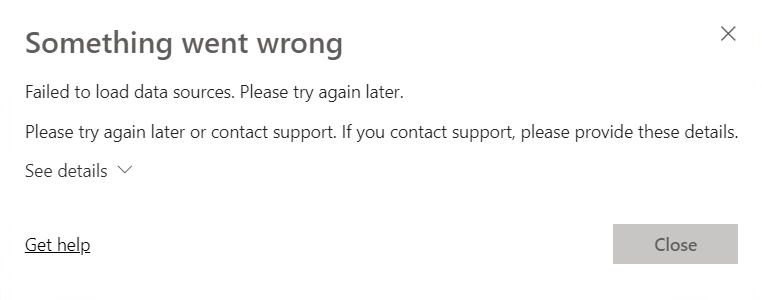
 I actually do have a gateway set up (with just a single URL for testing), which is connecting successfully. The problem is that I can't even seem to get as far as trying to select a gateway for the dataset...as soon as I expand the Gateway Connection option, I'm into the 'working' icon, followed by 'Something went wrong' message. Pls see screenshots.


 I'm not seeing this issue for other datasets / gateways. Any ideas?


 Many thanks.Capture2.PNG

Capture3.PNG

 Many thanks, Gavin

Helpful resources

Announcements
Power BI DataViz World Championships

Power BI Dataviz World Championships

The Power BI Data Visualization World Championships is back! Get ahead of the game and start preparing now!

December 2025 Power BI Update Carousel

Power BI Monthly Update - December 2025

Check out the December 2025 Power BI Holiday Recap!

FabCon Atlanta 2026 carousel

FabCon Atlanta 2026

Join us at FabCon Atlanta, March 16-20, for the ultimate Fabric, Power BI, AI and SQL community-led event. Save $200 with code FABCOMM.