Join us at FabCon Atlanta from March 16 - 20, 2026, for the ultimate Fabric, Power BI, AI and SQL community-led event. Save $200 with code FABCOMM.
Register now!The Power BI Data Visualization World Championships is back! Get ahead of the game and start preparing now! Learn more
We have over 500 users with 50 different RLS roles. It seems the way to assign these roles in the app is to manually input email addresses. Is there a way we can import the list of email addresses and respective roles? What is the best way to go about this?
Many thanks.
Solved! Go to Solution.
Hi @Anonymous ,
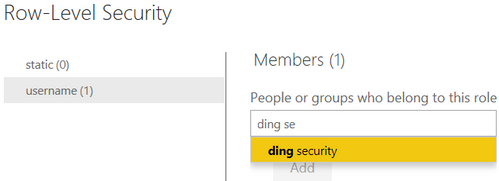
If you are a administrator, you could create multiple security groups to add the users. For how to create security groups, you could reference the document : Create, edit, or delete a security group in the Microsoft 365 admin center.
Best Regards,
Xue Ding
If this post helps, then please consider Accept it as the solution to help the other members find it more quickly.
Hi @Anonymous ,
If you are a administrator, you could create multiple security groups to add the users. For how to create security groups, you could reference the document : Create, edit, or delete a security group in the Microsoft 365 admin center.
Best Regards,
Xue Ding
If this post helps, then please consider Accept it as the solution to help the other members find it more quickly.
Hi @v-xuding-msft do you know if we can bulk add security groups to RLS across multiple models, something using PowerShell or the REST API? How do people manage group access to RLS at scale for large enterprises? My issue is we have to add multiple AD groups across multiple models. Any help much appreciated.
The Power BI Data Visualization World Championships is back! Get ahead of the game and start preparing now!
| User | Count |
|---|---|
| 45 | |
| 44 | |
| 42 | |
| 15 | |
| 15 |