cancel
Showing results for 
Search instead for 
Did you mean: 

The Power BI Data Visualization World Championships is back! Get ahead of the game and start preparing now! Learn more

Reply
hoangphuongduy
New Member

As Power BI Admin But cannot find tenant settings

Hi,


I'm new to Power BI.

So I'm following the course Power BI Developer in a Day and stuck in the case to find my tennant settings on Admin portal

I tried to google and people said that I need be a Power BI Admin to see it but I'm the Admin of the workspace, why can't I find it?

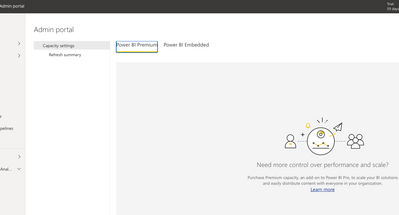
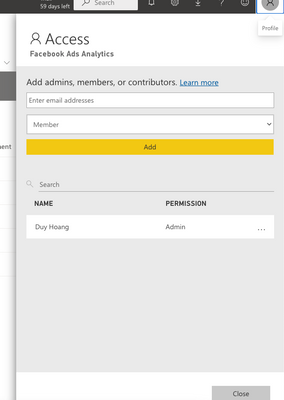
Me as AdminMe as AdminBut still cannot see itBut still cannot see it

1 ACCEPTED SOLUTION
Anonymous
Not applicable

Hi @hoangphuongduy ,


You are confusing the concept of Workspace Administrator and Power BI Administrator.

As the workspace administrator, you have all permissions for the workspace.
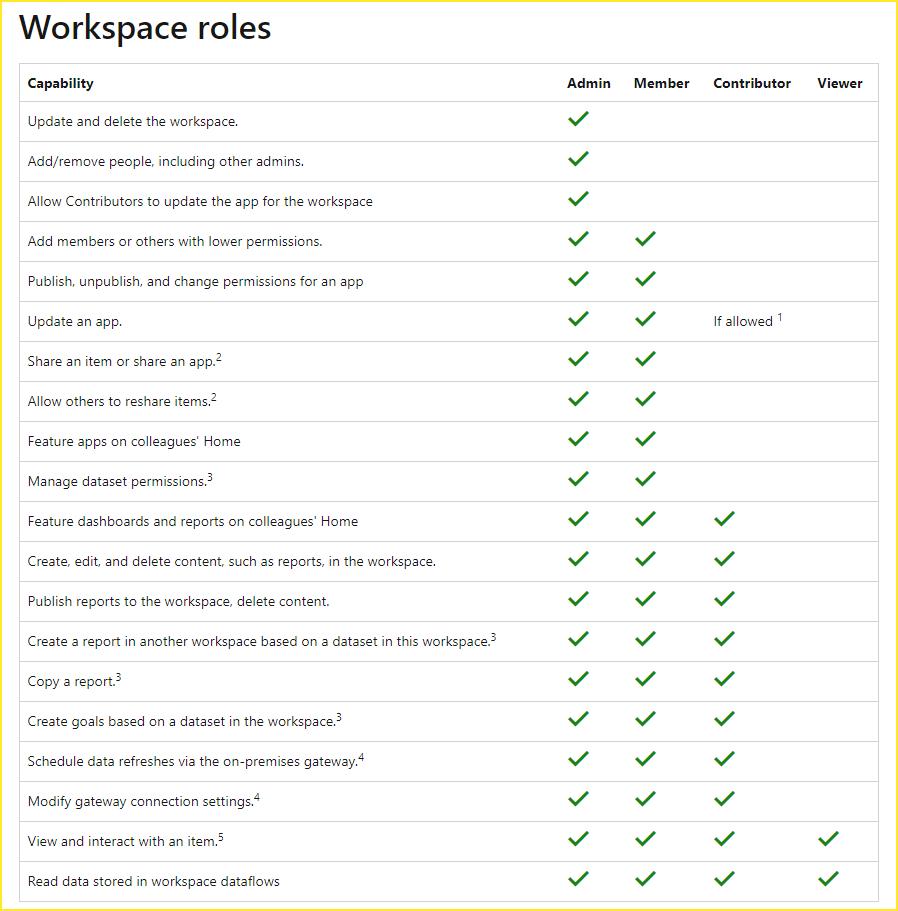
vcgaomsft_0-1649655988058.png

But to manage Power BI for your organization, you must be one of the following roles. power BI Administrator, Power Platform Administrator, or Microsoft 365 Global Administrator.

For smaller organizations or individuals who signed up for Power BI, you may not have a Power BI administrator yet. Follow our process for admin takeover.

Process for admin takeover

Established organizations usually already have a Power BI administrator. You need to find one of these people in your organization and ask them to update the tenant settings in the admin portal.


Here are some references that may be helpful.

Roles in the new workspaces in Power BI

Understanding Power BI administrator roles


Best Regards,
Community Support Team_Gao


If there is any post helps, then please consider Accept it as the solution to help the other members find it more quickly. If I misunderstand your needs or you still have problems with it, please feel free to let us know. Thanks a lot!

How to get your questions answered quickly -- How to provide sample data

View solution in original post

2 REPLIES 2
Anonymous
Not applicable

Hi @hoangphuongduy ,


You are confusing the concept of Workspace Administrator and Power BI Administrator.

As the workspace administrator, you have all permissions for the workspace.

vcgaomsft_0-1649655988058.png

But to manage Power BI for your organization, you must be one of the following roles. power BI Administrator, Power Platform Administrator, or Microsoft 365 Global Administrator.

For smaller organizations or individuals who signed up for Power BI, you may not have a Power BI administrator yet. Follow our process for admin takeover.

Process for admin takeover

Established organizations usually already have a Power BI administrator. You need to find one of these people in your organization and ask them to update the tenant settings in the admin portal.


Here are some references that may be helpful.

Roles in the new workspaces in Power BI

Understanding Power BI administrator roles


Best Regards,
Community Support Team_Gao


If there is any post helps, then please consider Accept it as the solution to help the other members find it more quickly. If I misunderstand your needs or you still have problems with it, please feel free to let us know. Thanks a lot!

How to get your questions answered quickly -- How to provide sample data
blopez11
Super User
Super User

Power BI tenant admin and workspace admin are quite different


Please see the second paragraph of the following article that discusses the privileges required to see the admin portal


https://docs.microsoft.com/en-us/power-bi/admin/service-admin-portal#tenant-settings


Helpful resources

Announcements
Power BI DataViz World Championships

Power BI Dataviz World Championships

The Power BI Data Visualization World Championships is back! Get ahead of the game and start preparing now!

December 2025 Power BI Update Carousel

Power BI Monthly Update - December 2025

Check out the December 2025 Power BI Holiday Recap!

FabCon Atlanta 2026 carousel

FabCon Atlanta 2026

Join us at FabCon Atlanta, March 16-20, for the ultimate Fabric, Power BI, AI and SQL community-led event. Save $200 with code FABCOMM.