Join us at FabCon Atlanta from March 16 - 20, 2026, for the ultimate Fabric, Power BI, AI and SQL community-led event. Save $200 with code FABCOMM.
Register now!The Power BI Data Visualization World Championships is back! Get ahead of the game and start preparing now! Learn more
In PowerBI Desktop, there is the option (Table tools -> New table) to create a new calculated table using DAX, for example via the ADDCOLUMNS or UNION functions.
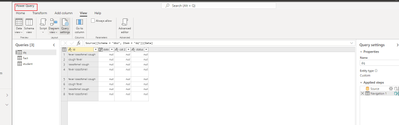
I cannot find this option when adding the queries for a dataflow in our Premium Per User workspace.
Is this functionality not available (yet?), or am I overlooking something, or am I trying to use a dataflow for something it is not intended for ?
Thanks!
Solved! Go to Solution.
Hi, @SteffanH ;
Dataflows use Power Query, not DAX. You can perform many of the same calculations in Power Query as DAX, however these will be pre-calculated values, saved in the dataflow, and then imported into the Power BI data model.
https://docs.microsoft.com/en-us/power-query/dataflows/data-sources?tabs=power-bi-service
Best Regards,
Community Support Team _ Yalan Wu
If this post helps, then please consider Accept it as the solution to help the other members find it more quickly.
Hi, @SteffanH ;
Dataflows use Power Query, not DAX. You can perform many of the same calculations in Power Query as DAX, however these will be pre-calculated values, saved in the dataflow, and then imported into the Power BI data model.
https://docs.microsoft.com/en-us/power-query/dataflows/data-sources?tabs=power-bi-service
Best Regards,
Community Support Team _ Yalan Wu
If this post helps, then please consider Accept it as the solution to help the other members find it more quickly.
The Power BI Data Visualization World Championships is back! Get ahead of the game and start preparing now!