cancel
Showing results for 
Search instead for 
Did you mean: 

The Power BI Data Visualization World Championships is back! Get ahead of the game and start preparing now! Learn more

Reply
ldroguett
Frequent Visitor

API REST METHOD POST

Hello friends, hoping you are well.
I have an api rest that can only be called by the methodo post and in Power BI Desktop I have no problems, but when wanting to have an updated programming in service I have problems.


This is my advanced editor to consume the api.

let
fechaI = Date.ToText(DateTime.Date(DateTime.LocalNow()),"yyyy-MM-dd'T'HH:mm:ss"),
fechaT = Replacer.ReplaceText(fechaI,"T00:00:00","T23:59:59"),
url = "url api",
body = "{""apiKey"":""api key"", ""inicio"":"""&fechaI&""", ""termino"":"""&fechaT&""", ""identificador"": null}",
Source = Json.Document(Web.Contents(url,[
Headers = [#"Content-Type"="application/json"],
Content = Text.ToBinary(body)
]
)),
in
Source


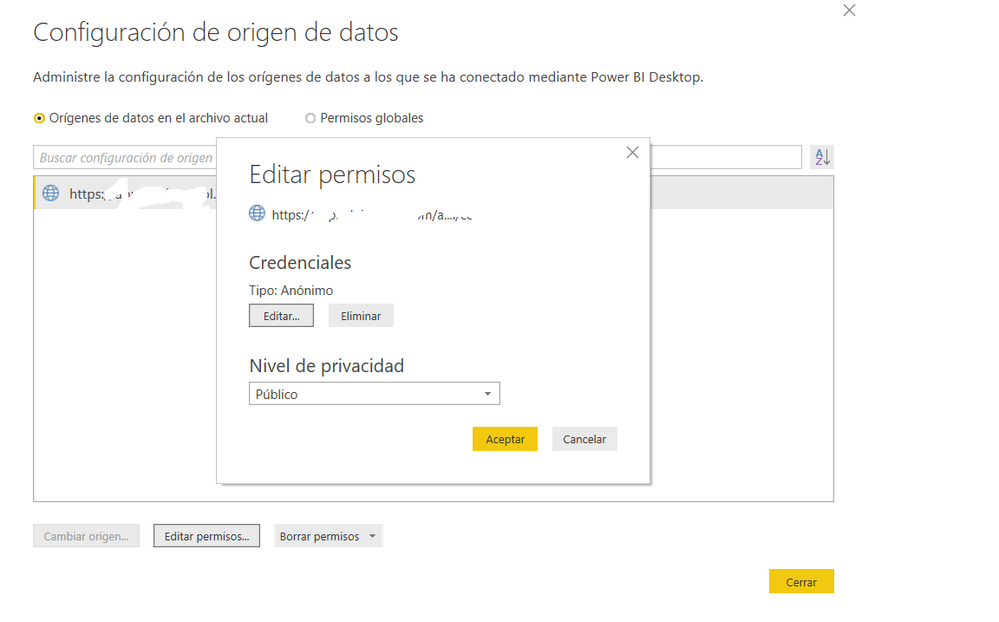
Then he asks me for a web credential where I can put Anonymous and make it public.

Sin título.png

So far so good.


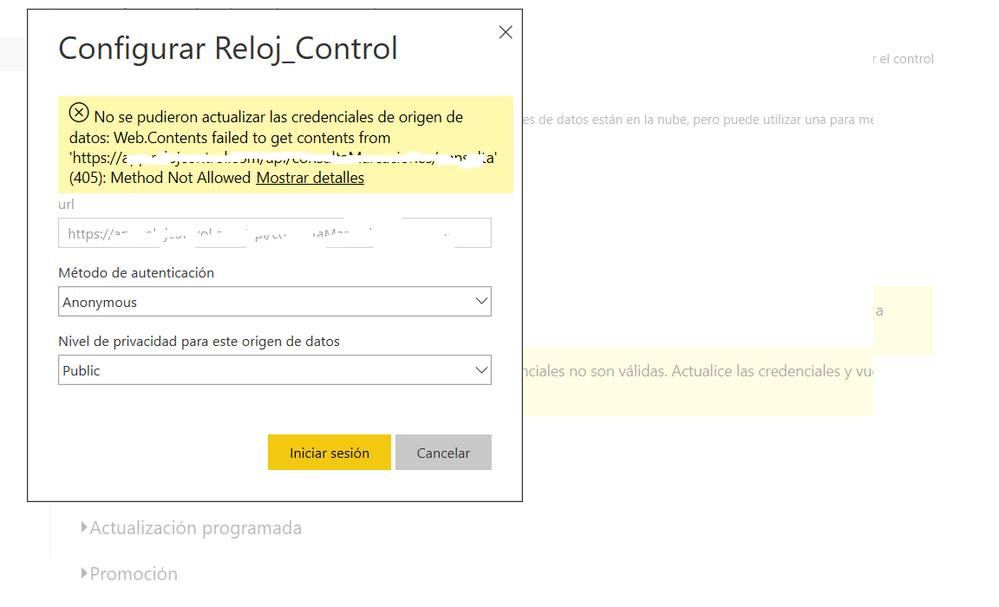
Then I publish my report but when I want to have a scheduled update, I have that error.


sdds.png


dddddddddd.png

I already tried installing and reviewing my gateway and nothing please help.!!!!!!!!!!!!!!!!!!!!!!!!

1 ACCEPTED SOLUTION
Anonymous
Not applicable

Hi @ldroguett ,

It seems like detail REST API url not allow you to use anonymous authorizations on it. If this is a case, I'd like to suggest you to add relative path option to convert rest api url to root path and relative path.

let
	Source=Web.Contents("https://xxxx.xxxxxxx.com",[Headers = [#"Content-Type"="application/json"],Content = Text.ToBinary(body),RelativePath="/api/xxxxxxx"])
in
	Source

Regards,

Xiaoxin Sheng

View solution in original post

2 REPLIES 2
Anonymous
Not applicable

Hi @ldroguett ,

It seems like detail REST API url not allow you to use anonymous authorizations on it. If this is a case, I'd like to suggest you to add relative path option to convert rest api url to root path and relative path.

let
	Source=Web.Contents("https://xxxx.xxxxxxx.com",[Headers = [#"Content-Type"="application/json"],Content = Text.ToBinary(body),RelativePath="/api/xxxxxxx"])
in
	Source

Regards,

Xiaoxin Sheng

Thanks ! 

Helpful resources

Announcements
Power BI DataViz World Championships

Power BI Dataviz World Championships

The Power BI Data Visualization World Championships is back! Get ahead of the game and start preparing now!

December 2025 Power BI Update Carousel

Power BI Monthly Update - December 2025

Check out the December 2025 Power BI Holiday Recap!

FabCon Atlanta 2026 carousel

FabCon Atlanta 2026

Join us at FabCon Atlanta, March 16-20, for the ultimate Fabric, Power BI, AI and SQL community-led event. Save $200 with code FABCOMM.