Join us at FabCon Atlanta from March 16 - 20, 2026, for the ultimate Fabric, Power BI, AI and SQL community-led event. Save $200 with code FABCOMM.
Register now!The Power BI Data Visualization World Championships is back! Get ahead of the game and start preparing now! Learn more
Hi there,
Im trying to achieve the following:
I create a Report with 2 datasource, one from a SQL db and the other Excel, on desktop
When I publish I get the message: report.pbix is not connected to on or more data sources. to connect....
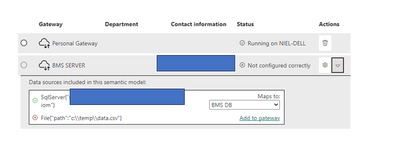
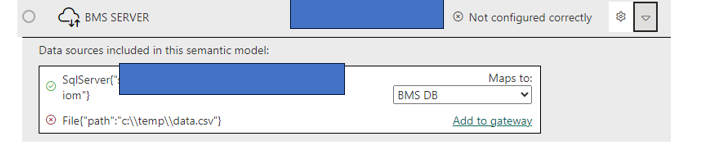
It looks like this on the service
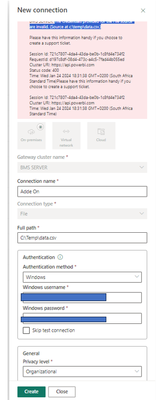
I click on add to gateway but keep on getting the same errors
Any ideas?
Kind Regards
Solved! Go to Solution.
Hi @Axiomite
As @TomMartens said, you Can't use 2 Gateways for the same Dataset.
You need to correctly configure the Standard Gateway BMS
And then add the path of your file to the Gateway BMS
Maybe it would be easier if you uploaded your file data.csv to the SQL Server or to Sharepoint.
Regards
Amine Jerbi
If I answered your question, please mark this thread as accepted
and you can follow me on
My Website, LinkedIn and Facebook
One workaround is to stuff one or more of the data sources into a dataflow, then you can mash them up as you want, without that gateway limitation.
Hi @Axiomite
As @TomMartens said, you Can't use 2 Gateways for the same Dataset.
You need to correctly configure the Standard Gateway BMS
And then add the path of your file to the Gateway BMS
Maybe it would be easier if you uploaded your file data.csv to the SQL Server or to Sharepoint.
Regards
Amine Jerbi
If I answered your question, please mark this thread as accepted
and you can follow me on
My Website, LinkedIn and Facebook
Hey @Axiomite ,
all data sources of a dataset have to utilize the same gateway.
Regards,
Tom
The Power BI Data Visualization World Championships is back! Get ahead of the game and start preparing now!
| User | Count |
|---|---|
| 56 | |
| 55 | |
| 31 | |
| 18 | |
| 14 |