Get certified for free when you join Fabric Data Days 2026 and dive into Fabric, Power BI, SQL, AI, and other essential data skills.
Join nowJuly 28 - August 9 | Final Round of the Power BI Dataviz World Championships. This is your chance. Learn more
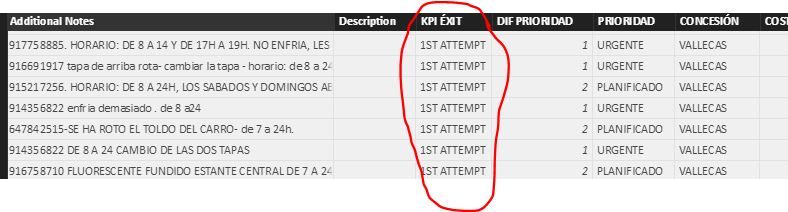
I Have the following query. I would like to calculate the average of 1st attempt of the column KPI EXIT. The thing is, every row has a diferent date like 1-01-2017. How can I get the average per month up to the date I want.
Hi @pbi1,
The [KPI EXIT] is a text column, how to calculate the average for "1st attempt"?
Based on my assumption, you want to calculate based on an other numeric field per month, right? If so, please create a column similar to below:
Average=CALCULATE(AVERAGE(TableName[Numeric Column]), FILTER(ALLEXCEPT(TableName,TableName[Date].Month), TableName[KPI EXIT]="1ST ATTEMPT"))
If I have something misunderstood, please provide more detailed data and show us your desired result.
Regards,
Yuliana Gu
If you love stickers, then you will definitely want to check out our community sticker challenge, Barcelona edition!
Check out the July 2026 Power BI update to learn about new features.